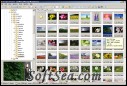
ImageGlass is a professional image viewer. It offer you support for most of the common picture formats. You can view GIF, PNG format very well, and also extract frames from GIF files.
Requirements:
* NET Framework
Imagine is a image & animation viewer for Windows. It is a lightweight, easy to use, yet powerful image viewer enhanced with various editing features.
Imagine Features:
- View and save image/animation files with very...
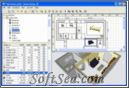
Sweet Home 3D is a free interior design application that helps you placing your furniture on a house 2D plan, with a 3D preview. Sweet Home 3D comes with 75 pieces of furniture, but you may also import some additional objects...
YACReader is yet another comic reader, it is a cross-platform comic reader developed using Qt4 with support for multiple comic files and image formats. YACReader comes with YACReaderLibrary, an application for browse your...
JPEGView can help you to view and customize your images, it is a small and fast viewer/editor for JPEG, BMP, PNG, GIF and TIFF images. On-the-fly image processing is provided - allowing to adjust typical parameters as...
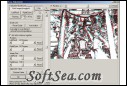
StereoPhoto Maker functions as a versatile stereo image editor \ viewer and can automatically batch-align hundreds of images and mount them to the 'window'. It may be run on all versions of Windows and PowerPC and Intel Macs...