X2Net Recent Documents

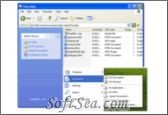
X2Net Recent Documents Screenshot
  • Rating: X2Net Recent Documents Rating
  • Version: 3.0.2.00
  • Publisher: www.x2net.com
  • File Size: 4.26 MB
  • Date: Oct 31, 2006
  • Price: $19.99
  • License: Free Trial Software
  • Directory:
X2Net Recent Documents Download
Free Download X2Net Recent Documents 3.0.2.00

X2Net Recent Documents 3.0.2.00 is a Shell Extension product from x2net.com, get 4 Stars SoftSea Rating, X2Net Recent Documents automatically keeps track of every document and file you use, and allows you to quickly access them as needed. It integrates with Windows Explorer and allows you to access your documents by type, date or custom category groupings. Even though Windows already offers a recent document feature, this software greatly extends the abilities by adding itself as a system folder, that can be accessed from all Windows dialogs. There are no additional interfaces to learn, you can simply access your recent files from any file dialog (Open, Save etc.) as well as from the Windows Explorer tree and the Start Menu. You can further customize the documents to be tracked by creating simple rules to include/exclude files based on user defined masks. A simple, yet very efficient way to access your recently used files and folders. SoftSea.com had fully tested, reviewed and uploaded the install files, X2Net Recent Documents does not contain any adware or spyware, the latest version is 3.0.2.00, you can download this shell extension software (4.26 MB) from special server of SoftSea.com. The license of this windows utility software is Free Trial Software, the price is $19.99, you can free download and get a free trial before you buy. If you want to get a full or nolimited version of X2Net Recent Documents, you can buy this windows utility software.

Shell Extension Software Related Titles:
12Ghosts ShellX
Add new commands to the Explorer context menu.

A2Soft Tray Utilities
This software allows you to open applications, documents, URLs, folders and Control Panel applets from the system tray.

CuteMenu
This program is a small utility that allows a user to customize context menu (menu that appears on right mouse button click) in any Windows application.

WinHvance
Here are more than 170 tweaks to help you to improve your Windows 9x operating systems.

Control for XP
This program is a set of XP utilities.

IndieVolume
This program is a desktop enhancement for Windows that allows you to configure sound volume, balance and mute individually, per-application.

WinPersonalizer
Customize your desktop with this integrated tool.

ZMover
This gives you control of your desktop layout by allowing you to set the size, position, and layering of windows.

Mayk
This program is a file launcher that can hold up to 54 icon shortcuts to your favorite applications.

goScreen
This software makes it possible to organize applications the same way you organize files on hard disk--by placing software windows into different desktop folders or screen pages.

DocClear Pro
This software allows you to manage the entries that collect in your Documents and Most Recently Used menus in Windows Media Player, and the address book in Internet Explorer.

Hover Desk
This software lets you access your programs, files, system commands and Web sites by using a custom interface that you can create.

WindowShade
This software lets you hide windows that are obscuring your view by double-clicking the window title bar or pressing the Shift or Control key twice.

File Grabber
<p>With this shell extension you can grab any info about a group of </p><p><b>Never open a DOS window to execute a dir *.* > dir.lst command to save file information again!! </b></p><p>Save not

TrayIcon Pro
This 32-bit software allows you to run your favorite applications and folders directly from the system tray.

VistaMagicPack
VistaMagicPack is a simple software that will change your XP interface to look like the new Windows V

Astatix Launcher
This allows you to quick start any applications, open documents and explore folders in a single click.

Taskbar Hide
This allows you to control your taskbar and optionally hide/unhide or re-arrange programs.

SysTuner
This program is a unique tool created to help you to optimize, manage and customize Microsoft Windows.

Parallels Workstation for Windows
Parallels Workstation is the most strong, easiest-to-use, cost-impactful desktop virtualization solution available today.

Shell Extension Software Related Category Page:
Page: 1   2   3   4   5   6