
|
FixDrive 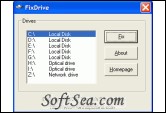
|


Free Download FixDrive 1.3
When you double-click a network drive in My Computer, the Open With dialog may appear rather than displaying the drive contents. However, when you right-click on the drive and choose Explore, the drive opens correctly as it should.
The FixDrive tool was designed to make the "Open With" dialog appear when double clicking on a mapped network drive in My Computer.
How to use:
1. Download FixDrive.zip and save it to Desktop
2. Unzip the file and extract the contents (FixDrive.exe and readme.txt) to a folder
3. Double FixDrive.exe to run it
4. Select the drive-letter from the list that's exhibiting the problem
5. Click Fix
The license of this software is Freeware, you can free download and free use this shell extension software.