
|
WinQuota 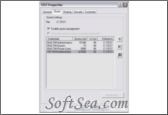
|


WinQuota provides automatic disk space management solution for Windows servers. It takes control on all the operations carried out with specified files and directories and provides disk safety and automation of routine network administration work. This disk quota utility has friendly interface and wide range of powerful features. Ability to generate reports gives an opportunity to hold composite analysis on space usage and monitor usage stats.
Carry out disk quota management with WinQuota. This program provides automatic quota management for directories and files separately for all kinds of users, groups, remote hosts and trusted domains. You can specify rules to manage drive space without any additional repartitioning or logical volume management.
WinQuota provides a number of high-quality Windows utilities designed for automation of routine administrator work. Our disk quota software helps you to manage disk space limits and monitor their keeping in multi-user networks. To do this in the most comfortable and quick way, we designed two versions of software depending on specific character of the networks: WinQuota Professional and WinQuota Corporate.
WinQuota is folder quota manager and it is comfortable way to entrust monotonous disk usage control process and provide additional security for the whole system, avoiding data overflow. It can be applicable for wide cases, including limits for home directories and more.
For some data warehouse available to many users at the same time it is not effective to provide each group with a physical drive. In this case the question about partition rises. To manage drive capacity in the most efficient way strict limitations on the dedicated space for each group should be set. Disk quota management is meant to solve this.
The most considerable problem for standard Windows quota management mechanism is that quotas cannot be set to arbitrary folders and files, only to a volume as a whole.
To cover all network Administrator necessities, concerning managing space limits and monitoring their keeping, WinQuota LLC designed disk quota management mechanism WinQuota. It allows specifying rich set of rules to manage drive space without any additional re-partitioning or logical volume manipulation.
Designed especially for administration needs, WinQuota provides quota management for folders and files separately for any kind of users, groups, including support of Windows Domains and Active Directory network users.
There is a possibility to set quota limitations for any specified folders and files, including subfolders, inner mount points, system and sparse files.
Disk quota settings can not be exhausted by any kind of operation, including file moving, renaming, copying and other. While any attempt of a file size changing, WinQuota examines it against quota settings and refuses any kind of requests that may lead to quota limits overburn.
In contrast to many other solutions, WinQuota works in real time; now you don't need to worry about users dedicated space inviolability all the time. Every folder can be simply treated as separate drive; all programs will be limited to folder size transparently and quota limit may not be exhausted.
WinQuota is 100% automatic and gives a great relief to Administrator. User cannot overdrive his or her hard limits, but in case of attempt to use more space than quota set, administrator intervention is not required to unlock/solve quota overflow.
WinQuota possibilities:
Real-Time, fully automated solution
Users cannot exceed their' limits
Quota limits for folders and files
Quota limits for all kinds of users and groups
Full support of Active Directory and Windows Domains structure
Define any kind of user notifications about quota limit to be filled soon
Support of any underlying storages, including SAS, NAS, RAID/LVM support
Support of Windows Clustering, network Shares and Distributed File System
WinQuota has two versions: WinQuota Professional and WinQuota Corporate. Mainly, professional version is adopted to small and medium companies, without huge AD trees and forests. In other side, WinQuota Corporate is specifically designed to large and huge companies, and provides additional features specific to large companies. There are Web Console to manage quotas remotely, SNMP support, and more.
WinQuota team continuously works at perfection of WinQuota products to make them most closely correspond to the customers' needs.
The license of this software is Commercial,