
PrinterShare
|
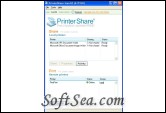
PrinterShare 2.1.02 is a Printer Software product from printeranywhere.com, get 5 Stars SoftSea Rating, With PrinterShare you can print documents and photos on other people's printers as easily as on the local one connected to your machine. No special technical knowledge is required from both - printer owner and user. It just works!
With our program you can print directly from your software such as Microsoft Word, Outlook, Photo Editor or any other software you work with to a printer connected to another computer next door or ten thousand miles away (anywhere!).
Our program automatically detects printers connected to your computer including local network printers. As long as you can print in it yourself, you can share the printer and let other people use it.
With PrinterShare you can print documents and photos on other people's printers as easily as on the local one connected to your machine. No special technical knowledge is required from both - printer owner and user. It just works!
With our program you can print directly from your software such as Microsoft Word, Outlook, Photo Editor or any other software you work with to a printer connected to another computer next door or ten thousand miles away (anywhere!).
By using industry-standard encryption algorithms we ensure fast and secure delivery of the electronic printing materials (not your original documents!) to the other end. You can also control how many copies should be printed on the paper.
Unlike email, PrinterShare does not allow forwarding electronic copies of the documents to third parties. This prevents potential misuse of the information and eliminates possible privacy issues. You don't need to have an email account to use PrinterShare .
Unlike fax, PrinterShare does not require the documents being scanned and only then transmitted. As long as the documents are in an electronic form on your computer, you can print them as usual (typically by selecting menu File - Print) on the remote printer. Scanning paper documents locally and printing them on the other end is always a possibility too. And, you don't need to have a fax machine and dedicated phone line.
10 Reasons Why To Print with PrinterShare :
* I want to ensure the documents are printed and not just received
* I don't want to send (email) electronic copies of the documents
* My recipient does not have the software to open my document
* I want to print paper photos on my relatives' printer
* I want to ensure the documents are printed only on a specific printer
* I want to print directly from my applications as if it were on my local printer
* Microsoft printer sharing on my home network doesn't seem to work for me
* The document is too big to print locally and fax (and I want to save paper!)
* Fax quality is not enough, international fax calls are expensive.
* I want to print now. For free!
How It Works
We want you to be confident working with PrinterShare understanding how it works and what you do. It's simple! There are two types of people working on our network: Printer Users and Printer Owners. The users have something to print from their computers and the owners have printers to print on. Often people can be both users and owners at the same time. The license of this windows utility software is Freeware, you can free download and free use this Windows Utility software.


