
|
OlapCube Writer 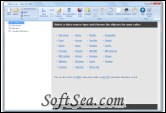
|


OlapCube Writer is a simple, yet powerful tool to analyze data. Analyze your data and create great reports with a powerful yet simple tool. It will let you create local cubes (files with .cub extension) from data stored in any relational database (including MySQL, PostgreSQL, Microsoft Access, SQL Server, SQL Server Express, Oracle, Oracle Express).
You can use these cubes with a variety of software including OlapCube Reader to quickly browse and analyze your data, Microsoft Excel to create great reports, OlapCube Dashboard to share and collaborate online.
4 simple steps:
1. Connect to your datasource
2. Add your tables
3. Drag and drop the fields to create dimensions and measures
4. Build your cube and you are done.
Relational databases are not well suited for near instantaneous analysis and display of large amounts of data. Instead, they are better suited for creating records from a series of transactions. Although many report-writing tools exist for relational databases, these are slow when the whole database must be summarized.
OlapCube covers all major databases and data files
SQL Server Oracle IBM DB2 MySQL Sybase Informix PostgreSQL IBM UniVerse IBM UniData Progress Firebird Interbase Paradox Excel Access Text files Visual FoxPro SQLite Filemaker
OLAP cubes can be thought of as extensions to the two-dimensional array of a spreadsheet. For example a company might wish to analyze some financial data by product, by time-period, by city, by type of revenue and cost, and by comparing actual data with a budget. These additional methods of analyzing the data are known as dimensions.
It offers a very flexible and intuitive way to browse your data.
1. Sub-second response times
2. Drill down
3. Our reader is intentionally built with a minimal feature set to reduce the learning curve.
4. Your data is available even when you're offline.
This new tool lets you create great dashboards within minutes.
1. Send dashboards via email
2. Upload dashboards via FTP
3. Publish dashboards on your blog
In Excel, cubes looks like normal pivot table and charts at the first glance, but with great benefits.
1. Data loads instantly
2. Data is organized hierarchically
3. No need to import data
4. Calculated members
5. Use Excel 2007 to unleash the full power of cubes!
A financial analyst might want to view or "pivot" the data in various ways, such as displaying all the cities down the page and all the products across a page. This could be for a specified period, version and type of expenditure
Each of the elements of a dimension could be summarized using a hierarchy. The hierarchy is a series of parent-child relationships, typically where a parent member represents the consolidation of the members which are its children. Parent members can be further aggregated as the children of another parent. For example May 2005 could be summarized into Second Quarter 2005 which in turn would be summarized in the Year 2005.
The license of this software is Free Trial Software, the price is $99.00, you can free download and get a free trial.