
|
IVONA MiniReader 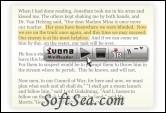
|


IVONA MiniReader is a handy and user-friendly compact text reader which uses IVONA voices to read selected texts in any application. Free, easy-to-use text reader! IVONA Text-To-Speech converts the text on your PC into natural-sounding spoken words.
All you have to do in to voice text is:
1. run IVONA MiniReader
2. select text in any open program (e.g.
3. Firefox),click the Play button (or hot key CTRL+SHIFT+Space).
You can start IVONA MiniReader in two ways:
1. Using the Start menu:
2. Start "All programs" -> "IVONA" -> "IVONA MiniReader"
3. Using the system's tray menu shortcut.
Simply make your selection to listen to news, articles, documents, RSS feeds, e-books, web pages, emails, and much more. Depending on your needs and preferences, you can easily adjust both the speed and volume of the voice. IVONA MiniReader is compatible with all IVONA Text-To-Speech voices and other SAPI 5 standard TTS voices.
The license of this software is Freeware, you can free download and free use this text to speech software.