
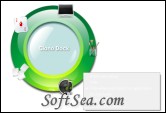
CianoDock

CianoDock Screenshot
  • Rating: CianoDock Rating
  • Version: 0.3.5
  • Publisher: www.lucianopalladino.com
  • File Size: 4.61 MB
  • Date: Feb 09, 2010
  • License: Freeware
  • Directory:
CianoDock Download
Free Download CianoDock 0.3.5

CianoDock 0.3.5 is a Desktop Utility product from lucianopalladino.com, get 4 Stars SoftSea Rating, A convenient and easy-to-use desktop enhancement tool. CianoDock is a useful, PIE style dock software which makes managing your files, games, applications and accessories a much easier feat. Give JumpBox CianoDock a try to fully assess its abilities!

Default hide/show hotkey = ALT + >

Groups:
To create a new group, right mouse button "Add Group"
To modify a group, right mouse button "Modify Group"
To delete a group, right mouse button Remove Group"

If you want to change the group position, push and hold CTRL key then click on the group you want to move, it will glove then click on the desired position.

To change the icon's group, just drag&drop a PNG image on the icon's group. (the icon will automatically resized to 80x80 pixel)

Links:
To create a new application/game link, just drag&drop the executable file on the desired group.
To modify a Link, right mouse button "Modify Link"
To remove a Link, right mouse button "Remove Link"

If you want to change the Link position, push and hold CTRL key then click on the link you want to move, it will glove then click on the desired position.

To change the icon's link, just drag&drop a PNG image on the icon's link holding CTRL key. (the icon will automatically resized to 80x80 pixel)

Background:
To change the background image, just drag&drop a PNG image on the CianoDock center. (the background image will be automatically resized to 300x300 pixel).

The Icons will be saved on the local Icons foder. The backgrounds will be saved on the local Backgrounds folder.

To hide and show CianoDock, just press the assigned HotKey.( default: ALT+< ).

Configure window:
To set a new Hotkey, be sure that CianoDock window is active clicking on it with the mouse button.

Enable icons shadow: Active this option to increase the readability of the icon on the background. (this will ask a bit of more resources). SoftSea.com had fully tested, reviewed and uploaded the install files, CianoDock does not contain any adware or spyware, the latest version is 0.3.5, you can download this desktop utility software (4.61 MB) from special server of SoftSea.com. The license of this windows utility software is Freeware, you can free download and free use this desktop utility software.

Desktop Utility Software Related Titles:
Vista Rainbar
Vista Sidebar clone for Rainmeter.

WindowsFX
WindowFX is a revolutionary new software that allows you to add

Universal Shortcutter
Universal Shortcutter is an absolutely unique and revolutionary

XWindows Dock
XWindows Dock or XWD is the newest free Windows Vista and XP

Yahoo! Widgets Engine
This program is a JavaScript runtime engine that lets you run small programs called Widgets that can perform a variety of tasks.

Calibrize
Calibrize is free program that helps you to calibrate the colors of your monitor in three simple st

Krento
Krento is a modern software manager and widget engine for Microsoft Windows.

AppPlus
This menu bar and tray launcher docks to your desktop, floats, or sits in your system tray.

ViGlance
ViGlance is a nice utility that was designed in order to bring

Launch-n-Go
This program is a software launcher that enables you to assign hotkeys and keywords to selected programs, commands, documents or web sites.

Glass
Toggles AERO glass on or off for a console window.

Zoommy
Professional-oriented magnifying program with rich features and flexible options.

StartClick Launcher
StartClick Launcher is a easy to use software launcher.

Windows 7 Folder Background Changer
Customize your Explorer's background with this application.

Touch-It - Virtual keyboard
Touch-It Virtual Keyboard is a strong set of tools to build and use on screen keyboards.

FlyakiteOSX
Flyakite OSX (visually) transforms your Windows XP desktop environment

WinPLOSION
WinPLOSION is a unique desktop management tool that allows instant

ZHider
ZHider is a small, standalone utility that allows you to totally hide any window from sight

Fences
Fences is a one-of-a-kind program

SoftSea Editors' Picks
WindowBlinds Fences