
|
muvee autoProducer 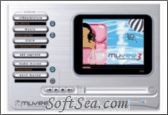
|


I have tried some other video editors before I found muvee autoProducer. I think this product deserve the money I have spent. I am not real experienced at editing videos. I have tried to make some family photos and clips videos, but I¡¯m really not good at it. This program lets me edit them like a pro. It is definitely a must for anyone who desires to enhance and make their own professional-looking DVDs or just videos on a PC. muvee autoProducer is the ideal way for hobbyists and professionals to turn ordinary videos into works of art. It¡¯s easy to capture video footage and assemble a movie in mere minutes according its drag-and-drop interface. If you have the same trouble as me, well then use this automatic video editor which is designed by muvee Technologies Pte Ltd.
muvee autoProducer is the fastest and simplest way to create a finished production from raw video. It takes one minute to learn and is typically many times faster to use than any other video editing software. We load our video, choose any piece of music (MP3 or WAV) we like, select an editing style (choose from a variety of professional styles) and muvee autoProducer does the rest. From one piece of raw video we can create a dozen different productions in a few minutes - each one in a radically different style with a finished, professional feel. The program uses advanced signal analysis on the raw video and on the music, enabling it to create dynamic videos that are in sync with the background music. For example , it can find where there are peoples faces in our video, and detect the rhythm, tempo and "emotional index" of the music. The program also includes several features that allow we to tweak the results, put emphasis on certain scenes, exclude segments and more. muvee autoProducer provides an intuitive and compact interface and supports multi-language such as English, ChineseSimplified, ChineseTraditional, Danish, Finnish, French, German, Italian, Japanese, Korean and so on.
In a word, The award-winning muvee autoProducer is the fastest, easiest and most fun way to turn dull videos into professional-looking productions automatically! muvee autoProducer Artistic Intelligence automatically selects the best scenes from our video, and cuts them to our chosen music with cool effects and transitions synchronized to the beat.
muvee autoProducer (with Magic Moments) is the fastest and simplest way to create a finished production from raw video. It takes one minute to learn and is typically a hundred times faster to use than any other video editing software. You simply give the program your video, choose any piece of music (MP3 or WAV) you like, select an editing style (ranging from "Over-the-Top Music Video" to a set of classic professional styles) and it does the rest. From one piece of raw video you can create a dozen different productions in a few minutes - each one in a radically different style, each one a polished production with a finished, professional feel. The program uses advanced signal analysis on the raw video and on the music. For example , it can find where there are peoples faces in your video, and detect the rhythm, tempo and "emotional index" of the music. From this information, muvee autoProducer is able to edit the video, creating finished productions completely automatically.
The license of this software is Free Trial Software, the price is $129.95, you can free download and get a free trial.