
|
mLauncher 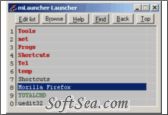
|


mLauncher is a simple tool designed to help you open easily a favorite application.
Here are some key features of "mLauncher":
1. mLauncher starts programs, documents, folders or internet shortcuts (URLs) from its easy to make lists.
2. mLauncher is fast and easy to use.
3. To add a program simply drop its icon on the main window or search for it with browse.
4. Make any number of sub-lists.
5. Click on Help (?) (in the program) for more information.
6. mLauncher can create a keyboard shortcut and a start menu shortcut so you can call it fast.
7. mLauncher can start with Windows.
8. Left click on Find (keyboard:F2) to search all lists, right click (keyboard:F3) to search preset folders: Desktop, Start menu, My Documents and all lists. (You can add more folders to search)
The license of this software is Free Trial Software, you can free download and get a free trial.