
|
jNetMap 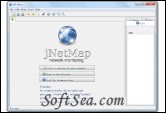
|


jNetMap will ping all registered devices every x minutes, updating its status according to the result of the ping. Alternatively you can also monitor a specific port, such as port 80 for webservers. Available devices are green, unavailable devices are red. Gray means "unknown" and orange "not found". See which printer is still on.
To start drawing a new map, select "add", enter the details and hit enter. You can connect the devices by right-clicking on a device and selecting "connect". You can also save and open existing maps so you dont have to redraw everything. It also supports arguments, e.g. "java -jar jNetMap.jar some/where/some.netmap" will open the "some.netmap" when starting the application. This also works for the "open with..." option in any OS.
Requirements:
* Java
The license of this software is Free, you can free download and free use this ip utility software.