
|
hsCADView 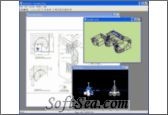
|


hsCADView can view, zoom, pan and rotate DWG and DXF files. Convert between document types and export to images and PDF files. hsCADView offers many product features that allow you interact with CAD drawings without needing a full design editor. These features are discussed in general on this page, and more specifically in the links that follow. hsCADView's high-level features include:
View Drawings
* Import from most standard CAD File Formats (DWG, DXF, DWF)
* Display 2D and/or 3D information
* Render with a variety of 3D Viewing modes
* Zoom, Rotate, Pan, and Snap within a Drawing (2D and 3D)
* Manage multiple views of a Drawing with Viewports
* Preview both custom Drawing Layouts, and the Drawing Modelspace
Print Drawings
* Map difficult to print colors with Plotstyles
* Preview a print job before you waste your ink
* Print both custom Drawing Layouts, and the Drawing Modelspace
Convert Drawings
* To any supported Drawing file types (and all versions!). Make an old Drawing new, or a new Drawing old.
* To web formats such as PDF, DWF, SVG, and Images
* To an email attachment
Measure Drawings
* Use a convenient tool to measure distance in 2D and/or 3D
* Measure angles between connected lines
* Measure area of figures that lie on a plane (regular polygons)
Convenience
* Maximize screen space with tabbed viewing
The license of this software is Free Trial Software, the price is $19.99, you can free download and get a free trial.