
|
WordFlashReader 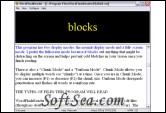
|


Want an efficient way to do on-screen reading of web-pages, email, and other electronic texts? Try WordFlashReader -- its a Rapid Serial Visual Presentation (RSVP) program that makes on-screen reading easy. Its free, open-source, and works on both Windows and Linux. Try it out!
This program works best with text files and html files, but can open pdf files as well. WordFlashReader works by flashing each word of the text or book sequentially on the screen (pausing for punctuation). Not only is this way of reading off of a computer screen less straining on the eyes than the normal method, but also after a little practice you may discover that you can read at multiple times the speed you normally do.
Features
1. Includes both a normal display mode and a full-screen mode.
2. You can adjust font size, type, and color.
3. You can adjust the display size (in normal mode) as well as its background color (for either normal or full-screen mode).
4. You can display only one word at a time, or multiple words at a time (chunk mode).
5. This is an open-source application. I encourage you to modify the source code and submit bug fixes, patches, and feature enhancements.
6. This is a cross-platform application developed to work on both Windows and Linux.
7. Its totally free. You will never be charged for this software.
The license of this software is Free, you can free download and free use this word processing software.