
|
Virtual Edit 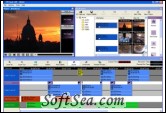
|


Virtual Edit is a semi-professional software video editing package aimed at ambitious content creators to video novices, who want to produce material with a slick and professional look, on a limited budget. Virtual Edit has been written by experts with experience in the Television and Broadcasting industries, which has been encapsulated in this simple software package.
Virtual Edit will run on Laptop and Desktop PCs running Microsoft Windows XP or Vista. Also if you have a DV camera with a DV-out, you can capture video straight into a Virtual Edit Project and start creating.
Feature Specification
1. DV Edit 123 and Multi Edit modes.
2. Supported languages English & Spanish.
3. Full online help documentation.
4. Integrated DV Video Capture utility.
5. Simple standard windows interface, which is intuitive to understand.
6. Simple drag and drop of video files onto a graphical timeline.
7. A Clip Browser to manage your edits once you have marked the in and out points from your source video material.
8. Simple cut and fade transitions, which can be viewed in real time on your computer monitor (i.e. there is no need to render your sequence before viewing it, as all edits can be previewed immediately).
9. More advanced transitions which can be viewed in real time if your PC is fast enough. Otherwise advanced transitions maybe pre-rendered.
10. Title Designer, for creating overlay title graphics.
11. Clip Effects Processor, for adjusting video brightness, colour balance and various other effects in real time.
12. Fade titles in and out.
13. Fade audio in and out.
14. Create AVI, DV and MJPEG output files.
15. Create Windows Media files for the internet.
16. Play DV back to a DV camcorder or a DV-Analogue converter *
17. Support for PAL and NTSC video systems.
18. Support for all other frames rates between 10-30 fps.
19. Frame accurate editing.
20. Advanced Digital Signal Processing techniques to give you professional looking results, in the quickest time.
21. Support for most media file types (AVI/MPEG/DV/WMV/MP3/WAV/AIF/BMP/JPG) #
22. Support for most windows compatible soundcards.
23. Support for most windows compatible video cards.
With both modes of Virtual Edit you can edit your holiday video footage, your wedding video or your university media production project. You can then capture your imagination by adding video effects, music and titles to enhance your content creation.
Virtual Edit is ideal for creating a video for your You Tube, MySpace, Hi5 or similar Internet profile.
The license of this software is Free Trial Software, the price is $29.99, you can free download and get a free trial.