
|
ViceVersa Free 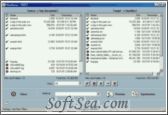
|


We usually need copy files which are modified continually between office and home or other location. But we often make mistake that which is the newest version we need copy. I am a professional who often publish articles on magazine or Internet. I usually need copy my works from office to home or other location v.v. Sometimes when I open my works which I have copyed, I find suddenly that it is not the newest version which I need. That make me a great trouble. Do you meet the same thing as me. Fortunately, I get a synchronization tool which can help me indeed. That is ViceVersa Free which was published by TGRMN software. Do you know that? I have used it for a long time and I have no longer make mistakes when I copy files. So I commend you the great tools and wish it can help you in deed. Following is the detailed introduction of ViceVersa Free.
ViceVersa is a utility which compares, mirrors, synchronizes and backups folder trees. We can choose from three different ways to compare our files: timestamp, CRC or both. Differences will be shown side-by-side, in a graphical, easy to understand manner. ViceVersa compares folders between floppy drives, hard drives, CD-ROM drives, zip drives and network drives (UNC paths supported). It can compare only files and folders that match Include and Exclude filter pattern lists which we define. In addition, the program offers a choice of six synchronization methods, supports Copy and Delete operations for manual synchronization as well as action preview and more. An optional Pro version with even more features is available for a charge.
The main features and benefits of ViceVersa Free include: Compatible with all Windows platforms (98, Me, NT, 2000, XP, 2003, Vista) including servers and 64-bit platforms. Unique interactive view gives US full control over our files. Fully automated unattended mode lets us schedule our job to run hourly, daily, weekly. Supports any type of storage media, over USB, LAN, WAN, Network, VPN. Preview and review all operations before running for complete peace of mind. Auto run on folder content change, real-time.
Real two-way file synchronization: if a change occurs in either location, it is reflected on the other side. Copy open files: we do not need to close the program we are using. Smart file archiving, backup software tool: keep multiple versions of our files. Supports encryption and compression: safely store our data on-line and on movable media. Password protect: only authorized users can change program settings. Fast, solid software used daily by thousands of customers: because our data is our most important asset.
ViceVersa lets you synchronize files, replicate folders, perform backups and do file and folder comparisons like never before: innovative, fast and time-saving. ViceVersa works between computers, e.g. Laptop, Desktop, Workstation, Server, over network LAN, WAN, VPN, USB, and with any type of storage media including external Hard Disk, Zip disk, USB flash drive, CD-RW, DVD, NAS Network Attached Storage.
ViceVersa unique side-by-side view quickly shows us the latest status of our files and gives us complete control over our data. We get easy file backup software with flexible file archiving, bi-directional file sync software, automatic file and folder replication (=file mirroring), CRC file comparison and file verification to make sure our replica is still the same.
ViceVersa can copy open files without closing the program we are working on. This includes Outlook PST files, Outlook Express, QuickBooks databases, Word and Excel documents, SQL databases. With compression and encryption, time synchronization, file archiving, file revision and versioning, ViceVersa delivers the flexibility we need to keep our data safe and protected. No matter whether we manage a large server with hundreds of gigabytes or want a tool to secure data stored on workstations: ViceVersa is the solution we have been looking for.
ViceVersa is a utility which compares, mirrors, synchronizes and backups folder trees. you can choose from three different ways to compare your files: timestamp, CRC or both. Differences will be shown side-by-side, in a graphical, easy to understand manner. ViceVersa
ViceVersa FREE compares and synchronizes files and folders (including sub-folders). Three comparison types: Size and Timestamp, CRC or both. Powerful include and exclude file filters. Handles NTFS and FAT timestamp differences. Five file synchronization methods. Supports copy and delete for manual synchronization. Can link to an external program to visualise differences between selected files: txt, cpp, h, etc.
1. Completely free to use. Download and start synchronizing files and folders.
2. Compare files in two folders (source and target) and synchronize file differences.
3. Supports 3 file comparison methods: Size & Timestamp, CRC or Both.
4. Supports multiple synchronization methods: Augment, Refresh, Update.
5. Supports manual copy and delete for manual file synchronization.
The license of this software is Freeware, you can free download and free use this data backup software.