
RunMimic

RunMimic Screenshot
  • Rating: RunMimic Rating
  • Version: 1.5
  • Publisher: wyattsoft.webs.com
  • File Size: 60 KB
  • Date: Aug 10, 2009
  • Price: Free
  • License: Freeware
  • Directory:
RunMimic Download
Free Download RunMimic 1.5

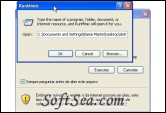
RunMimic 1.5 is a Desktop Utility product from wyattsoft.webs.com, RunMimic is a copy of the Windows Run Box. It is designed for computers which the Run box has been disabled on.
It functions pretty much like the the Windows one, except that it doesn't have a drop down box or remember what you last entered.
Requirements:
* Net Framework 2.0
Many companies and Internet cafes limit or block the installation of programs. Sometimes you can not even run executable files, even if they are on flash drives or other mobile device.
RunMimic an software is extremely light, which allows the execution of the command "Run" ( "Run"), responsible for installing programs. With it, you can open EXE files, even on machines that have blockages and limitations.
How to use:
After downloading the ZIP file, unzip the contents into any folder on your computer. Then open the file "RunMimic.exe", which will cause a small window appears.
On this screen you will type the path and name of the executable file you want to open. If you do not know where the file is, you can search for it. To do this, click on "Browse ...", navigate to the folder and select the executable file. This done, click "OK" and wait a while. SoftSea.com had fully tested, reviewed and uploaded the install files, RunMimic does not contain any adware or spyware, the latest version is 1.5, you can download this desktop utility software (60 KB) from special server of SoftSea.com. The license of this windows utility software is Freeware, you can free download and free use this Windows Utility software.

Desktop Utility Software Related Titles:
Macroworx Filing Cabinets II
Filing Cabinets lets you clear up your desktops and quickly access frequntly used programs , documents or web sites by organizing them into cabinets that slide in and out from the sides of your screen

SysTrayX
SysTrayX is designed to maximize the way you can use your system tray : - it will help you hide some

OneLoupe
OneLoupe is required to view everything on the screen enlarged.

yLaunch
yLaunch is a simple little software which runs in the system tray and gives you quick access to commo

TrayLauncher
TrayStart was designed as an software that will let you use a command file to store the menu item

XNeat Windows Manager
XNeat Windows Manager adds additional features to the Windows taskbar and system tray, that enables

Softany Monitor Control
This tray software helps you manually turn off your computer's monitor or directly launch any screen saver installed in your system.

ReallyEasyReader
Using This will radically improve your reading capability; it does the hard work for you.

Maverick Launcher
If youre tired of trudging through endless menus from the start button, this may be the answer to yo

DeskClear
One of the things that has always bugged us is a cluttered desktop.

Ardoise
Ardoise (blackboard) allows you to write/draw/erase everything (useful reminder).

Readpal Reader
This aims to make on-screen reading more pleasant and efficient, by presenting you with a formatted version of a document that is designed for easy reading, using large fonts on a dark background (cus

LYMAG Magnifier
LYMAG Magnifier is a full-screen magnifier running on Windows system.

Quick Launcher
The Quick Launcher helps you make shortcut keys to applications,

DeskTask
This enables you to display your current Outlook tasks and appointments on your desktop.

CronoSoft XP Skins
If you are using Windows XP, you may have noticed that not all of your older programs can take advantage of the XP themes option (xp visual styles or xp skins)- XP Skins is a software that help you t

Sumka quick launcher
Quick software launcher with addition.

ICQ AIM Hider
ICQ AIM Hider is a protective tool that allows you to hide running applications and tray icons compl

CoolKeys
CoolKeys is a hotkeys manager that allows you to launch programs, documents and websites via keyboar

Visual Task Tips
Visual Task Tips is a convenient Windows shell enhancement that displays a thumbnail snapshot of any Wind

Desktop Utility Software Related Category Page:
Page: 1   2   3   4   5   6   7   8   9   10   11   12   13   14