
|
RichCopy 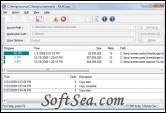
|


RichCopy Enhances Windows File Copying with Advanced Rules. it is a powerful file copying tool developed for internal use at Microsoft that can significantly improve file copy performance.
RichCopy is a free utility that was first developed in 2001 and has been updated regularly to keep pace with evolving needs. What users will find most striking the first time they take Microsoft RichCopy out for a spin is that it's a multithreaded copying tool.
That means that rather than copying one file at a time in serial order, RichCopy can open multiple threads simultaneously, allowing many files to be copied in parallel and cutting the total time required to complete the operation several times over.
You can also pause and resume file copy operations, so if you lose network connectivity at any point, you can just pick up where you left off.
RichCopy is designed to help people who copy huge number of files between storage devices directly or indirectly over the network by accelerating copy performance and shorten the time people has to spend for file copy operation. This acceleration has been realized by improving network and storage device utilization with technology used for server services.
RichCopy doesn't have shell integration, unfortunately, like many of our favorite replacements, but given the kind of detailed tweaking you can do in RichCopy, you'll likely be opening the application to tinker in the sub-menus anyhow. RichCopy was previously an internal tool for Microsoft developers to use, but now has public release. There's no serious support for the tool, and it falls into the as-is category. That said, I didn't have any problem copying 15GB of data from one drive to another in a matter of minutes, thanks to RichCopy's snappy multi-threading support. RichCopy is freeware, Windows only.
Features:
1. Improved copy performance:
RichCopy version 2.0 ~ 3.5 are already much faster than any other copy tools, but RichCopy version 4.0 is faster than its early versions. RichCopy version 4.0 can cover all areas where file and directories need to be copied over the network with true based performance and features.
2. Profile based copy option:
Earlier versions support only single state copy options. User had to change the configuration when network condition is very different from previous. RichCopy version 4.0 now supports profiled based copy options. User can create profile with any name and store different setting to each profile. User can easily switch configuration by choosing profile from drop down list box.
3. Multiple source:
RichCopy version 4.0 now supports multiple sources while earlier versions and other copy tools support only one to one coy operation. For example, you do not need to run multiple copy process when source directory is different. Now you just need to specified multiple sources that need to be copied to destination directory.
4. Increased supported copy threads:
Most of tools support up to 64 per thread. This limitation comes from known WIN32 thread management API. RichCopy version 4.0 does not have such limitation with sufficient original thread management mechanism as long as system resource allows. For example, you could run more than 256 threads.
5. Detail file / directory filtering:
Earlier version could not filter files and directory with date/time such as creation date/time, last write date/time and last access date/time. RichCopy version 4.0 can filter files and directories with any date/time stamp with 'earlier" and 'later' conditions and 'copy' and 'not to copy' conditions.
6. Full command line support:
All features available on GUI are also available from command option line. Also Option property displays command line parameters of current configuration, thus user can generate command parameters by setting copy options on property dialog.
7. Optimized copy method:
These days, RichCopy is used against varied storage devices. RichCopy now supports following options: System cache v.s. Self-cache for device direct access / Multiple access v.s. Serialized access for not optimized and slow device
The license of this software is Freeware, you can free download and free use this file management software.