
|
Rainbow Painter 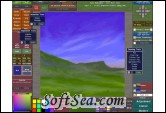
|


Rainbow Painter 3 is an advanced image editor aimed at both professionals and amateurs who want to retouch photos, paint and draw.
It's distributed as downloadable try-before-you-buy shareware and can be purchased online at the very reasonable price of $29.95.
Aimed at professionals and amateurs alike, Rainbow Painter 3 comes with lots of exciting features and technologies.
It supports 32-bit float/channel HDR, which permits adjustments to be made back and forth without losing quality.
There is also a revolutionary new pattern editing mode, which puts the old technique of using a so called Offset Filter to achieve seamless tiles to shame.
When switching on the repeat function in Rainbow Painter (horizontally, vertically or both), not only will the image be displayed repeatedly, but all effects support this mode and brush strokes will continue over the edges when drawing.
* Everything in this program supports 32-bit float/channel in HDR, which lets you make adjustments back and forth without losing quality!
* Support for layers. Lots of blend modes, tools, effects etc.
* View and edit seamless tiles in true WYSIWYG (What-You-See-Is-What-You-Get) style!
* All you have to do is switch on the repeat function (horizontally, vertically or both) and start working.
* All effects and tools support this mode and the brush strokes will continue over the edges.
Rainbow Painter offers you all sorts of advanced technologies to help you become a better artist.
You will find a wide range of good life-like tools such as airbrush, oil, pastel or just a simple pen.
Several different blend modes are supported, as well as intuitive and easy-to-use color palettes.
The anti-aliasing is extra precise, where both the brush strokes and the brush itself are anti-aliased.
Last, but certainly not least, Rainbow Painter gives you super precision in the form of 32-bit float/channel HDR support.
That means your picture will look crisp and vibrant from the moment you start working on it until it's finished!
Textures & Patterns
When creating textures or patterns, the single most important thing is to make sure there are no visible seams when tiling (repeating) the graphics.
With other programs, such as Adobe Photoshop , you would probably use the so called Offset Filter to move the seams to the center and try to make them stand out less by applying certain tools.
This is a very time consuming and frustrating process that has to be repeated, sometimes unintentionally creating new seams.
We are proud to say that we have abolished the Offset Filter once and for all!
In Rainbow Painter, you can view and edit seamless tiles in true WYSIWYG (What-You-See-Is-What-You-Get) style.
All you have to do is switch on the repeat function (horizontally, vertically or both) and start working!
All effects and tools support this mode and the brush strokes will continue over the edges.
It's like having your artwork on a wallpaper, in a repeating pattern. You can draw anywhere on this wallpaper and see the true results immediately!
All this, in addition to layers and HDR support, will save you an enormous amount of time while increasing the quality of your work!
Photos
Everything in this program supports 32-bit float/channel in HDR, which lets you make adjustments back and forth without losing quality!
However, since this kind of precision requires more system resources, Rainbow Painter may be better suited for photos intended for web publishing rather than print.
To help you achieve the perfect photo, there is a large number of different tools, effects and blend modes to choose from (many of which not available in other programs).
Add to that layer support and some popular file formats, and you have in Rainbow Painter an advanced image editor that will nicely complement what you're currently using.
The license of this software is Free Trial Software, the price is $29.95, you can free download and get a free trial.