
|
QueryToDoc Command Line Publisher 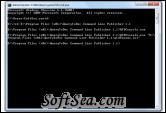
|


QueryToDoc Command Line Publisher (QueryToDoc Console) is the command line driven version of QueryToDoc lets you run a query on the schedule you select. Save the output - Excel, Word, HTML, CSV - to a shared drive or automatically mail it to recipients as an e-mail attachment.
Automatically e-mail query results. Command Line driven. SQL Server and Oracle.
1. Store your queries in text files
2. Define database connections, output type (Word, Excel, HTML, CSV), output file locations, and e-mail recipients in an ini file of parameters. This file also contains a link to the file that holds the query you want to use.
3. Run the program from the command line
4. To export and deliver reports on a schedule, start by creating a cmd file that points to the parameter file you want to use: Then use Windows Scheduler to run the program on the schedule you define:
5. Each time you run the program it creates a log file that documents success or failure.
Running the Program from the Command Line
If you created a query file and a parameters file, you are ready to run the program:
1. Open a command window. (In Windows click Start, Run, type cmd in the Run window, and then click OK.)
2. Type the the path and name of the QueryToDoc executable (qtdConsole.exe) file. Enclose the path and name in quotes.
3. Type a space and then type the path and name of the parameters file you created. Enclose the path and name in quotes.
4. Click Enter.
Requirements:
* The database you want to document or run a query against must be a SQL Server database (version 2000 or higher) or an Oracle database (version 8i or higher).
* Microsoft Word and Excel (version 2000 or higher)
The license of this software is Freeware, you can free download and free use this database management software.