
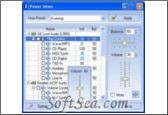
Power Mixer

Power Mixer Screenshot
  • Rating:
  • Version: 3.6
  • Publisher: www.actualsolution.com
  • File Size: 1.17 MB
  • Date: Feb 10, 2011
  • Price: $17.95
  • License: Free Trial Software
    14 Days
  • Category:
Power Mixer Download
Free Download Power Mixer 3.6

If you don't have a volume control program on your PC, or are not satisfied with the standard solution from Microsoft; want a Windows audio mixer with advanced features such as quick and easy volume tuning by using hot keys and mouse, saving and restoring all your audio settings just by one mouse click, scheduled volume adjusting, command line support and much more - try Power Mixer.
This is an audio mixer with volume control replacement for Windows. It includes audio mixer, scheduler, onscreen display, command line support, the capability to store and recall presets via one mouse click or system-wide hot keys. Power Mixer allows you to change the volume by rotating the mouse wheel, using the icon in the system tray or using keyboard hotkeys. Using presets you can change all parameters of a sound simultaneously.
Power Mixer is an advanced Windows audio mixer, a complete replacement for the standard Volume Control. This software lets you easily change the sound volume just by rotating the mouse wheel or by using keyboard hot keys. It includes an audio mixer with advanced volume controls support, a scheduler, an on-screen display, command line support, the capability to store and recall different unlimited presets via one mouse click or system-wide hot keys. By using presets you can change all parameters of sound simultaneously! It is designed to be especially useful for those who play games, work professionally with sound, or are everyday users.
Power Mixer: Get in-depth and easily accessible volume control and audio mixing.
Tired of controlling the volume from either your taskbar or music software? Want to adjust your audio settings with just one mouse click? Not satisfied with the standard solution from Microsoft? We've got something you should take a look at!
Power Mixer is an advanced Volume controls software which provides bigger functionality and ease-of-use than the standard Windows Volume Control. It does not require any special skills, works with MP3's, music CDs, and all other sound sources; you can control your music's volume directly from your mouse's scrollwheel or by using customizable system-wide hot keys, no matter what software you are using.
The software is simple to install and use, has many configurable options, and is optimized for high performance and small memory usage. Power Mixer works with all modern sound cards, places itself into the system tray, where it is readily available. It would be ideal for music fans who want to adjust the volume of their computers without a lot of hassle.
Main features of Power Mixer:
* User-friendly, multilingual interface with themes support.
* Quick volume adjusting by simply rotating the mouse wheel.
* Supports advanced volume controls such as bass and treble, etc.
* Unlimited, fully customized user presets for quick volume setup.
* Quick changing the selected volume controls by using desks.
* Customizable hot keys for any volume control, preset or desk.
* Works with multiple sound cards simultaneously.
* Vista gadget to control volume from sidebar.
* Supports changing the speaker configuration.
* Supports changing default audio device.
* Fine volume tuning from 0 to 100.
* Supports Audio Tapers for volume controls.
* Built-in scheduler with outstandinger facilities.
* Displays main volume value in the tray icon.
* On-screen display for perfect volume adjustments.
* Command-line support for use in a batch file or script.
* Automatic loading of the software at the system start-up.
* Can work as service or as an ordinary application.
* Supports all features of the standard volume control.
* Works on Windows 95/98/Me/NT4/2000/XP/2003/Vista.

The license of this software is Free Trial Software, the price is $17.95, you can free download and get a free trial.

Music Mixer Software Related Downloads: