
|
Online Armor Personal Firewall 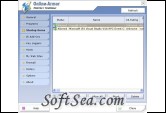
|


Online Armor Personal Firewall is one wonderful personal firewall software, we recommend this very much. Online Armor protects your computer's internet connection (inbound connections and outbound connections), stops unknown programs from running and detects keyloggers - plus lots more!. Online Armor is a full security system for your computer, but has been designed to be very easy to use. You can check out it's features in detail by looking at the menu on the left.
Online Armor includes powerful "HIPS" functions, which give you the ability to stop all unrecognised programs from running on your computer unless you say so, making it possible to protect yourself against these new attacks. Of course, programs Online Armor knows are safe will be allowed to run, no problem.
This is different to a pure Antivirus program - these let any program run, unless they know it is a virus. This means that it must have that that exact threat in its database before it can do anything about it. Your antivirus will completely ignore programs it does not recognise - which unfortunately includes new viruses.
Features:
Online Armor's broad range of features help keep you safe when suring the internet. Not all features are available in Online Armor Free. For a list of which features are not included, please check the comparisons page.
* Personal Firewall
Online Armor's new personal firewall provides awesome protection from inbound threats and complete control of data leaving your computer for the internet. In standard mode, most decisions are made completely automatically based on Online Armor's whitelist - meaning that you never need answer a complex firewall prompt again.
* Autoruns Management
New in Online Armor version 2 - Autoruns management allows you to control which programs start automatically with your computer. This can be used to help defeat spyware (it must start sometime) as well as optimize your computer's performance.
* Tamper Protection
Malicious programs are getting tougher and tougher and often attack other programs (including security programs) to do their nasty deeds. Online Armor has a process guard function which guards not only itself against tampering, but protects other programs from malicious code.
* Keylogger Detection
Keyloggers are designed to capture keystrokes while users enter personal information such as passwords and account numbers on financial and other secure Web sites. Online Armor protects your passwords and private information from being stolen by blocking the keylogger as it tries to activate. Online Armors behaviour detection ensures that even specially created or new keyloggers are detected and prevented.
* Mail Filter
"Phishing" is the name of a scam which uses fake emails and websites to trick users into disclosing personal information. Online Armor checks inbound mail for tricks used by scammers and, depending on the certainty it will warn you or remove the email. The mail filter works with any email client that supports POP3 or IMAP, including Outlook, Outlook Express, Thunderbird, The Bat, Incredemail, Eudora and others.
* Web Filter
Many websites use tricks to install dangerous software on your computer. The type of software can range from the irritating display of popup advertising, through to software designed to steal information or defraud you. Online Armor inspects every page you visit and checks to see if any dangerous objects are present. If they are, you are alerted and have the opportunity to block them. Online Armor's web filter works with any web browser on your computer? including those embedded in other programs.
* Cookie Cutter
Online Armor's "Cookie Cutter" transparently removes "tracking" cookies from sites you visit to guard your privacy. It does this by converts these to harmless "Session" cookies that your web browser will delete at the end of the session. Of course, sites you trust are allowed to store cookies in line with the settings in your chosen web browser.
* Prevent Spyware
The program blocker gives you control of which programs are allowed to run on your computer. Known safe programs, such as MS Office will automatically be allowed to run and dangerous programs will give a red warning popup so you can prevent them from running. If a new program is detected, you have the option to allow, block or get more information and you can always change your mind. If you block a program while it is still running, Online Armor will stop it and prevent it running in future.
* Remove Spyware
If spyware gets onto your computer? perhaps because you have accidentally allowed it, Online Armor will allow you to remove it. Unwanted extensions to internet explorer can be removed with a mouse-click. Unwanted programs can be blocked with the program blocker, or removed completely (along with all of the files they created).
* Settings Monitor
Online Armor will alert you if programs try to change your homepage in Internet Explorer or Firefox. While this is not really much of a security threat, it's an annoyance when it occurs when spyware infects your computer.
* IE Extensions
Some spyware installs itself into internet explorer where it can monitor what you type, which sites you visit and even change what you see in the web browser or modify your search results. Online Armor detects a variety of Internet Explorer extensions and lists them. From here, you may easily delete them if desired. If any program attempts to install itself into Internet Explorer, Online Armor will alert you and give you the opportunity to block it.
* DNS Checker
For high-value sites you need to protect, such as Online Banking sites Online Armor's DNS Checker ensures you're visiting the site you think you are. It compares the DNS results from your local machine against a trusted third-party server. This stops programs from manipulating your windows settings to misdirect you to fake sites.
* Hosts Checker
Similar to the DNS Check, Online Armor checks your HOSTS file and alerts you if anything changes. The hosts file can also be used to make your web browser visit sites other than the one you intended.
* Simplicity
Perhaps the best feature of Online Armor is its simplicity. All of the features work transparently, quietly and with minimum setup and fuss. You don't need to be a computer expert to use Online Armor.
Full Feature List
* Keylogger Detection
* Mail Filter
* Web Filter
* Spam Shield
* Cookie Cutter
* Trusted Sites
* Untrusted Sites
* Prevent Spyware
* Remove Spyware
* Settings Monitor
* IE Extensions
* DNS Checker
* Hosts Checker
* Simple to Use
* Firewall
* Easy to Use Firewall
* Powerful Windows Firewall
* Firewall Leak Tests
* Run as Limited User
* Worm Protection
* Termination Protection
* Spyware Prevention Tips
* Spyware Prevention With Online Armor
* Trojan Protection
* How to Block Dangerous Sites
* Lightweight Security for
* Windows
* Spyware Removal Tips
* Autoruns Management
* Online Armor Test Results
The license of this software is Free Trial Software, the price is $19.95, you can free download and get a free trial.