
|
Nero InfoTool 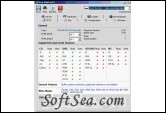
|


Nero InfoTool provides information about the most important features of installed drives, inserted discs, installed software, and much more. The information can also be printed or saved to a text file.
Features:
1. Download the file "infotool.zip", save this file to your desktop.
2. Extract the zipped file on your hard drive using WinZip or WinRAR.
3. Double-click on the EXE file to start the Nero InfoTool.
4. The window "Nero InfoTool - Retrieving Information" will open. Please wait until the progress bar has moved completely to the right. The window "Nero InfoTool" will open.
5. Click the "Save" button (the disk icon at the top). The window "Nero InfoTool - Save/Print" will open.
6. Please activate all the check boxes (Drive, Disk, Configuration, Software, Hardware, etc.).
7. Click the "Save" button. The window "Save as" will open.
8. Name the file and select the "TXT" format as the file type in the dropdown menu.
9. Select in the "Save in"-dropdown menu the "Desktop" entry.
10. Click the "Save" button. The Nero InfoTool will be saved on the desktop in the "TXT" format.
11. Close the two windows "Nero InfoTool - Save/Print" and "Nero InfoTool".
12. Please send us this file as an e-mail attachment if you contact technical support.
The license of this software is Freeware, you can free download and free use this dvd utility software.