
NLauncher

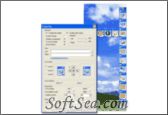
NLauncher Screenshot
  • Rating: NLauncher Rating
  • Version: 1.6
  • Publisher: www.nlauncher.com
  • File Size: 1.73 MB
  • Date: Dec 15, 2007
  • Price: $19.95
  • License: Free Trial Software
  • Directory:
NLauncher Download
Free Download NLauncher 1.6

NLauncher 1.6 is a Startup Manager product from nlauncher.com, get 4 Stars SoftSea Rating, NLauncher is a software launcher, that uses icon panels for easy launching of your favorite applications, folders, web links and documents. The software hides a set of attractive launch bars on the left and right side of the screen, and they become visible when you hold your mouse touches the edge of the screen. To add new items, you can simple drag a folder, software or shortcut onto the panel, choose a custom icon, and optionally add additional parameters. NLauncher supports multiple level, which allows you to create groups of shortcuts, that will reveal all items in the group as a new menu. Attractive an easy-to-use launcher that nicely blends into the XP scheme, with additional skins to choose from. SoftSea.com had fully tested, reviewed and uploaded the install files, NLauncher does not contain any adware or spyware, the latest version is 1.6, you can download this startup manager software (1.73 MB) from special server of SoftSea.com. The license of this windows utility software is Free Trial Software, the price is $19.95, you can free download and get a free trial before you buy. If you want to get a full or nolimited version of NLauncher, you can buy this windows utility software.

Startup Manager Software Related Titles:
Startup Delayer
This allows you to specify which programs to start first and which ones to delay.

AnVir Task Manager
This software manages running processes and startup files.

Auto Power
on Shut-down - An easy-to-use software that allows you to control your computer resume from power-off state (hibernation) or wake up your computer from sleep mode (stand by).

CyE Registry Writer
With the help of Registry Writer you can add programs to your windows start up.

Startup Manager
Startup Manager is a software that provides you the possibility to manage the Windows startup procedu

Taskbar Manager
The taskbar gets cluttered with windows and it becomes annoying to switch between windows.

ActiveStartup
This software lets you manage programs that load from the registry, Win.ini and Startup menu at Windows startup.

ID Startup Cleaner
This program is an essential utility that provides the opportunity to control, manage and optimize items in Windows Startup.

Startup Select
This Windows startup manager allows you to identify, enable, disable and remove the programs in the Registry and Startup folders.

PC Memory Shield
This program is a Startup Manager that allows you to control which programs are allowed to run on your computer.

Quick StartUp
The information that tells Windows to automatically start these items can be located in a number of places, ranging from a software group on your Start Menu, to certain initialization files that are ex

Chameleon Startup Manager
This provides you with complete control over the programs that start automatically with Windows.

AcceleRun
This will run any of hundred installed programs during 2 seconds.

Startup Booster
Your PC started loading slower? There is a simple and impactful solution - Startup Booster! A lot of

Winlaunch
Winlaunch is a global shortcut software that allows you to launch programs, documents, folders, websi

StartMenu Cleaner
This software helps users clean up dead links and empty folders on their Start menus.

AutoRuns
AutoRuns shows you what programs are configured to run during system bootup or login.

Fast Launcher
This program is an software and document launcher, that runs in the system tray and provides a compact toolbar with tabbed categories, that you can use for quick access to your favorite programs, websites,

JetStart Free
This program is a unique tool, that enables you to manage your Windows Start Menu more efficiently, and launch your favorite or recently accessed applications with just a few clicks.

Tidy Start Menu
This allows you to easily organize the programs in your Start/Programs menu, by sorting them into several categories, which will be created as folders in your Programs menu.

Startup Manager Software Related Category Page:
Page: 1   2   3