
|
MWSnap 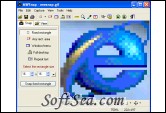
|


We often read some documents with illustrates, such as software tutorial, electronic book, on-line help, courseware, lantern slide and so on. The illustrates can make our learning very easy and more effective. I am a technician of the customer service department and my job is resolve questions which our customers have inquired. I usually use illustrates in the documents in order that my customer can understand the solution easily. So an powerful audio and video capturer is very important for us. Fortunately, thank for Mirek Wojtowicz, the publisher of MWSnap, the powerful and full-functions screen capture tool. Do you know that? I have used it for a long time and I insure that it is the most easy and powerful capturer which can help you great.
MWSnap is a small yet powerful program for taking screen captures of a desktop, an active window, menu, or a specified part of the screen. The program supports BMP, JPG, TIFF, PNG and GIF formats, with user selected color depth and quality settings. It also includes a zooming tool, a screen ruler and a color picker as well as system wide hotkeys and preset selection sizes. A very nice program, one of the best - if not the best, we can currently find for free. It can be also used as a fast picture viewer or converter. MWSnap does not require installation and does not need any special dlls, drivers or system files which can mess up our system. MWSnap is freeware, but our donations are gladly accepted.
The detailed features and functions of MWSnap include: Selected features. 5 snapping modes. Support for BMP, JPG, TIFF, PNG and GIF formats, with selected color depth and quality settings. System-wide hotkeys. Clipboard copy/paste. Printing. Auto-saving, auto-printing. Auto-start with Windows. Minimizing to system tray. An auto-extending list of fixed sizes, perfect for snapping images for icons and glyphs. A zoom tool for magnifying selected parts of the screen. A ruler tool for measuring screen objects lengths. A color picker showing screen colors with separated RGB parts. Fast picture viewer. Adding frames and mouse pointer images. Multilevel configurable undo and redo. Multilingual versions. Configurable user interface and more.
In a word, MWSnap is a very nice, easy to use and full-functions screen capture tool. The developer of this software wanted to ensure ease of use for the average home user with its simple, clean, great looking interface, but included features for even the most demanding, experienced users. It is an ideal solution for us who need to capture screen for their work.
MWSnap is a small yet powerful Windows program for snapping (capturing) images from selected parts of the screen. The current version is capable of capturing the whole desktop, a highlighted window, an active menu, or a fixed or free rectangular part of the screen.
Current version is capable of capturing the whole desktop, a highlighted window, an active menu, a control, or a fixed or free rectangular part of the screen. MWSnap handles 5 most popular graphics formats and contains several graphical tools: a zoom, a ruler, a color picker and a window spy. It can be also used as a fast picture viewer or converter.
MWSnap does not require installation and does not need any special dlls, drivers or system files which can mess up your system.
Selected features:
1. 5 snapping modes.
2. Support for BMP, JPG, TIFF, PNG and GIF formats, with selected color depth and quality settings.
3. System-wide hotkeys.
4. Clipboard copy/paste.
5. Printing.
6. Auto-saving, auto-printing.
7. Auto-start with Windows.
8. Minimizing to system tray.
9. An auto-extending list of fixed sizes, perfect for snapping images for icons and glyphs.
10. A zoom tool for magnifying selected parts of the screen.
11. A ruler tool for measuring screen objects lengths.
12. A color picker showing screen colors with separated RGB parts.
13. Fast picture viewer.
14. Adding frames and mouse pointer images.
15. Multilevel configurable undo and redo.
16. Multilingual versions.
17. Configurable user interface.
18. And more...
The license of this software is Freeware, you can free download and free use this screen capture software.