
|
LiveMark Family 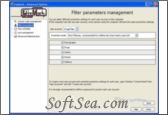
|


Internet has become an useful and powerful tool which is liked by most people all over the world. But there are some reparative and unhealthy web sites over the Internet when we enjoy the advantage and benefit of it. I have a little girl and she is only ten years old. There are too many sexy and forcible contents full of the Internet, so I am very afraid of my children¡¯s growing. Fortunately, a friend of mine introduces me a web site block tool which can block access to inappropriate sites. That is LiveMark Family which was designed by Adamentium. Do you know that? This tool is an ideal solution for us to keep the Internet under restrictions and monitoring. With LiveMark Family¡¯s parental control, we won¡¯t have to choose between freedom and security anymore! Below is the detailed introduction of this web monitor.
LiveMark Family enables us to block access to web sites that are inappropriate for children. We can choose from two filtering levels (under 12 or over 12 years old) and also select the topics that should be filtered (pornography, violence etc.). There filtering is done fully automatically based on criteria set by the software, however we have the option to override certain sites and specifically allow or block them based on our personal preference. LiveMark Family also includes an option to limit Internet access to certain times of the day. All filter and time restrictions can be applied on a per-user basis. LiveMark Family works with Internet Explorer and Firefox.
The key features and benefits of LiveMark Family include:
1. LiveMark Family¡¯s certified dynamic filtering technology blocks websites forbidden to minors in real time, while letting through websites useful for their instruction.
2. LiveMark Family is the first parental control software in the world which doesn¡¯t use blacklists!
3. LiveMark Family analyzes and understands pages the children want to consult before they display and blocks them if necessary.
4. LiveMark Family is an ideal filtering software for families: Maximal safety: unequalled blocking performances. Optimal comfort: no page blocked by mistake. Very fast: time needed to analyze a page: 5 milliseconds! Automatically compatible with all Internet browsers: I.E., Firefox, Opera, Safari. Very easy to install and to use, help and support documents in English.
5. LiveMark Family understands the contents of every webpage asked by the child. If necessary, LiveMark Family blocks the page before it is displayed. The software covers 100% of the Web and doesn¡¯t need anymore updates.
6. LiveMark Family uses complex technologies like artificial intelligence, multilingual and semantic analysis, classification and even image analysis.
7. No blacklist will ever contain the 500 million pages for adults existing on the web. LiveMark Family¡¯s dynamic analysis is the best solution to block them all.
8. Optimal protection: the protection is made page after page on search engines, blogs, personal pages and forums.
In addition, LiveMark Family provides a free trial with full functions for us but only can be free used 15 days. It is a standalone software and does not need any extra software and hardware requirement. LiveMark Family does not contain any adware or spyware, so we can use it safely and undisturbed. It works with Win XP/Vista only and its current version is 1.72. The price of the registration version is only $24.90 and we can get update and upgrade free. With all these features, simple interface, excellent usability, low cost and free trial period - why are you still reading? Download the free trial now and experience what powerful and effective it is at once!
LiveMark Family enables you to block access to web sites that are inappropriate for children. You can choose from two filtering levels (under 12 or over 12 years old) and also select the topics that should be filtered (pornography, violence etc.). There filtering is done fully automatically based on criteria set by the software, however you have the option to override certain sites and specifically allow or block them based on your personal preference. LiveMark Family also includes an option to limit Internet access to certain times of the day. All filter and time restrictions can be applied on a per-user basis. LiveMark Family works with Internet Explorer and Firefox.
The license of this software is Free Trial Software, the price is $24.90, you can free download and get a free trial.