
|
Keyboard LaunchPad 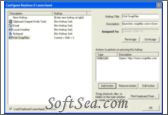
|


Aren't you tired of wasting your time on repetitive and annoying tasks Hotkeys builds on the concept of Windows shortcut keys but takes this concept to a whole new level. Do you think key combinations are hard to remember Just hold the Windows key for three seconds and up pops a on screen Keyboard with icons on the keys that are configured. This you can use, not only to remind you of hotkey combinations, but also for Drag and Drop Configuration. We all used Windows key keyboard shortcuts when we want to action some functions. But do you know that you can create keyboard shortcuts yourself with some keyboard tools. Do you want to create keyboard shortcuts belong to you Here I will commend you such a tool. That is Keyboard LaunchPad which was published by Stardock Systems. With Keyboard LaunchPad we can custom keyboard shortcuts according to our habit and modify them momentarily. Below is the detailed introduction of this powerful and handy hotkey manager.
Keyboard LaunchPad is an easy to use hotkey manager that enables us to assign keyboard shortcuts to launch programs, files, websites, system commands (eject CD, reboot etc.) or to paste pre-defined text or images to the clipboard. We can assign shortcuts to most keyboard keys, and also define additional arguments to be processed. In addition, Keyboard LaunchPad provides a free trial for us but only can be free used 30 days and some functions of it are disabled. It is standalone software and does not need any extra software and hardware requirement. Keyboard LaunchPad does not contain any adware or spyware. It works with most recent variants of Windows and its current version is 1.5. The price of the registration version is only $9.95 and we can get update and upgrade free.
The key functions and benefits of this hotkey launcher and scheduler include:
1. Keyboard Launchpad is a program that allows us to quickly and easily assign hot keys to launch programs, visit URLs, paste saved clipboards, control individual programs, perform system commands, and more.
2. What makes Keyboard Launchpad special is that it works system wide. No matter what program we're in, no matter what we're doing, we can always access the hotkeys of Keyboard Launchpad.
3. Keyboard Launchpad also has an open plugin format so that if there is a specialized program we wish to add our own hot key support to, we can do so.
4. Keyboard Launchpad can turn our current clipboard into a permanent hotkey. Technical support departments use Keyboard Launchpad to store "canned replied" for customers. Marketing and legal departments use it to store logos, letterhead, signatures and more. Internet users can use Keyboard Launchpad to store passwords, frequent responses and more. And Internet users can use Keyboard Launchpad to store passwords, signatures, and frequent responses.
5. Keyboard Launchpad has a compact and plain interface, so we can manage our hotkey by simply few clicks. This means we can save lot of our precious time and energy or money. This is a very nice, easy to use and full-functions hotkey manager. Not only can beginners use it simply but also experienced users can also use it for advanced application.
With all these features, simple interface, excellent usability, low cost and free trial period - why are you still reading Download the free trial now and experience how powerful and effective it is at once! If you feel this utility is helpful indeed, introduce it to your friends please!
Keyboard LaunchPad is an easy to use hotkey manager that enables you to assign keyboard shortcuts to launch programs, files, websites, system commands (eject CD, reboot etc.) or to paste pre-defined text or images to the clipboard. You can assign shortcuts to most keyboard keys, and also define additional arguments to be processed.
The license of this software is Free Trial Software, the price is $9.95, you can free download and get a free trial.