
|
JpegSize 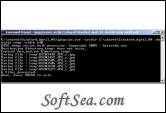
|


Jpegsize is a command line Windows utility that resizes JPEG images in a given directory. If no parameter is specified, it creates images that are 800 pixels wide, and adjusts height accordingly to keep aspect ratio. This application is useful when you have digital photos with great detail, and you wish to have smaller versions to e-mail friends, post online etc. Using jpegsize, you can easily create smaller versions of ALL of your photos in a directory with a simple command.
For simple cases, you can just copy jpegsize.exe into the directory of your images and double click on it. It will then generate new images [it will never change the originals] that are 800 pixels wide, and usually 600 pixels high (The actual width will depend on hight/width ratio but normally, digital photos from cameras have 4/3 height to width ratio).
Optional parameters are:
-ratio resize image to nn% of the original. For example -ratio 50 means
a new image whose height and width is 50% of the original image.
-height resize image to make its height nn pixels. Width will be automati
cally adjusted to keep aspect ratio.
-width resize image to make its width nn pixels. Height will be automati
cally adjusted to keep aspect ratio.
-srcdir adirectory directory of the original image files. By default, this
is the current directory.
-destdir adirectory destination directory to save modified files. By default
, this is the current directory. Destination files have _s.jpg appended to the
dir names.
The license of this software is Free Trial Software, you can free download and get a free trial.