
JetStart Free

JetStart Free Screenshot
JetStart Free Download
Free Download JetStart Free 4.4

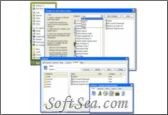
JetStart Free 4.4 is a Startup Manager product from codesector.com, get 5 Stars SoftSea Rating, JetStart Free is a unique tool, that enables you to manage your Windows Start Menu more efficiently, and launch your favorite or recently accessed applications with just a few clicks. The software offers multiple ways to access your program: You can sort them into 5 generic categories, select them from a list of recently used or newly added programs or search fro them by keyword. JetStart Free adds an alternative menu to the Start button that appears when you hover your mouse over it (click on it to get the regular menu) and shows your categorized programs as well as recently used applications. In addition, you can access them from a tray icon, hidden edge menus, and also create a floating toolbar that can be displayed by clicking the icon. A Pro version is available that adds a few additional features, but the free version will suit most users just fine. SoftSea.com had fully tested, reviewed and uploaded the install files, JetStart Free does not contain any adware or spyware, the latest version is 4.4, you can download this startup manager software (909 KB) from special server of SoftSea.com. The license of this windows utility software is Freeware, you can free download and free use this Windows Utility software.

Software Awards:
Startup Manager Software Related Titles:
StartupList
This creates a list off all items that are in any way related to your computer startup and are executed without any user interactions.

Chameleon Startup Manager
This provides you with complete control over the programs that start automatically with Windows.

ActiveStartup Deluxe
With this startup tool you can view, edit and inspect all programs that are loading at system startup including services for WindowsNT based operational systems.

Delayed Startup & Program Manager
This software lets you alter the actual startup time for items in the startup folder and run section of the registry.

Auto Power
on Shut-down - An easy-to-use software that allows you to control your computer resume from power-off state (hibernation) or wake up your computer from sleep mode (stand by).

Starter
This program is a startup manager, that allows you to view and manage all the programs that are starting automatically whenever Windows boots.

Fast Launcher
This program is an software and document launcher, that runs in the system tray and provides a compact toolbar with tabbed categories, that you can use for quick access to your favorite programs, websites,

Startup Guru
This allows you to manage your startup programs and temporarily disable or delete items that you do not want to start automatically when Windows boots.

BootSafe
This program is a simple, standalone interface that makes it easier for inexperienced users to boot their computer into Safe Mode.

mLauncher
This program is a simple tool designed to help you open easily a favorite application. Here are some key features of "This": 1.

LogonExpert
This enables you to login to your computer automatically, bypassing the Windows login screen.

Absolute StartUp
This helps you control and manage software that will start automatically when Windows boots.

StartUp
This program is a start-up items editor that allows you to identify, add, edit, remove or disable items using an intuitive graphical user interface.

LazyLoad
This allows you to schedule when applications are launched after the start of your computer, this allows your PC to be up and usable faster whilst still loading your applications in the background rea

CoolTabs
Organize hundreds of shortcuts, documents and folders.

12Ghosts Startup
This software removes entries from the Windows startup directory; just select the name of the software and hit "DELETE.

StartEd
This software helps you manage programs that load from the Registry, Startup folders and Win.ini at Windows Startup.

ProcAlert Pro
This firewall-like software secures your computer from the inside out.

Quick StartUp
The information that tells Windows to automatically start these items can be located in a number of places, ranging from a software group on your Start Menu, to certain initialization files that are ex

1-abc.net Startup Organizer
Delete, add or modify files and programs you want to be started with the system automatically.

Startup Manager Software Related Category Page:
Page: 1   2   3   4