
|
GuardMax 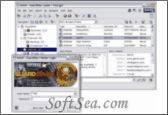
|


GuardMax keeps your sensitive information and passwords secure. It provides multiple encryption methods. GuardMax uses multi-level security structure by requiring logging information at start up and individual file protection within the application. It includes a password generator and customizable time-out period to secure programs and data during inactivity. It also provides auto-save on program exit.
With GuardMax you will be able to keep your sensitive information and passwords safe and secure. Program offers many encryption methods to choose from to encrypt your confidential data at various levels. Detailed information about encryption methods used in GuardMax is provided in Encryption Info section of its help file when you are not sure which method to use.
GuardMax uses multi-level security structure by requiring logging information at start up and individual file protection within the application. Generate practically uncrackable random passwords with
the GuardMax password generator. Program offers ability of Customizable time-out to secure the program and your data after a period of system inactivity when minimized, customizable auto save on exit to avoid loss of data due to mistakes and many more handy feature to keep your privacy secure.
Entering and managing security sensitive data in GuardMax is a breeze in a elegant user friendly environment.
GuardMax is a powerful, safe and secure confidential information / password management application with such useful features.
General
1. Clean and easy to use user-friendly interface.
2. Full graphical standard Windows interface.
3. Low system resource requirements.
4. Improved main window snapping to the desktop.
5. File storage and structure supported with industrial strength GemX DobermanDB? database engine
6. Fully Themed application. You can use existing msstyles Visual Styles theme files or use the built in themes. You can get many Visual Style themes from www.themexp.org
Productivity Tools to make the difference
1. Generous menu keyboard shortcuts.
2. Ability to launch GemX applications from GuardMax
3. Quick access to GuardMax functions and context specific right click menus.
4. Ability to launch a website directly from GuardMax
5. Ability to launch email directly from GuardMax
6. Two different screen modes, from normal to small view and vice versa.
7. Ability to open recently opened files from the File menu or use the handy file history.
Security Options
1. 10 different encryption algorithms to choose from.
2. Encrypts data from 64bit right upto 2048 bit encryption.
3. Generate practically uncrackable random passwords with the GuardMax password generator.
4. Double security. Protection with a Master login and individual file passwords.
5. Customizable "time-out" feature to secure the program and your data after a period of system inactivity when minimized
6. Customizable auto save on exit to avoid loss of data due to mistakes
7. Ability to quickly hide the display of passwords from the data list window
8. Each data file can have its own unique password.
9. Encrypt and Decrypt any kind of file you have, easily within GuardMax. Supply a password and use one of the strong encryptions. Encrypted files can only be decrypted with the correct password. (A great way to send sensitive data via email).
Customize GuardMax through its Settings
1. User defined coloring for data displays.
2. Internal compression makes the password files smaller with lower memory usage.
3. GuardMax can automatically start when your Windows system starts up.
4. The GuardMax main window can attach itself neatly to the edges of the desktop.
5. Ability to show or hide various parts of the window to save more screen space.
6. Toolbars and info panels can be hidden to save valuable desktop space.
7. Auto save your current GuardMax file every x minutes.
8. Window can be rolled up to quickly hide the screen.
9. GuardMax can be minimized to the taskbar or system tray.
Flexible Folders Navigator
1. Easy access and management of your folders with a structured tree view window.
2. GuardMax folders on the Navigator can be assigned individual icons.
3. GuardMax folders can also be flagged for quick access to favourite folders.
4. Use Cut, Copy and Paste commands in the Navigator.
5. Define the font and color of the Navigator text.
6. Incremental searching for quick access to folders.
7. Automatic Navigator tree sorting.
8. You can have a practically unlimited number of folders and sub-folders in each file.
Flexible Data Listing
1. Password data list clearly shows important information.
2. Display of passwords in the list can be quickly hidden from praying eyes.
3. You can define your own custom colors for the display.
4. Columns can be hidden or shown.
5. Re-organize the order of the columns just by dragging them to a new position.
6. You can sort data on any column in ascending or descending order.
7. You can practically have an unlimited number of records in a folder.
8. Ability to do a text based search of your records.
9. You can show or hide data of certain types with a simple and quick view filter.
Increase your efficiency with GuardMax Drag & Drop
1. Ability to organize your folders visually by using standard Windows drag and drop.
2. Drag and easily move your password records from one folder to another.
3. Re-organize the order of data columns just by dragging them to a new position.
The license of this software is Free Trial Software, the price is $24.95, you can free download and get a free trial.