
|
Fix Win XP Logon 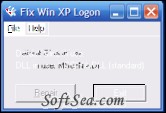
|


Fix Win XP Logon can fix Windows XP Logon/Restore welcome screen.
Usage: Download XP_FixLogon.ZIP and save this file to your hard drive. Navigate to where you saved it and double click the file. Extract XP_FixLogon.exe from the zip file and double click it. The program will tell you if repairs are needed or not.
This utility checks for the correct GINA value in the Registry and will allow you to restore it, if its incorrect.
The Fix Win XP Logon application was designed to be a small tool that checks the Registry for the presence pf a 3rd party GINA [Graphical ldentification and Authentication ] DLL and if found offers the optipn to set Windows XP back to its default value MSGINA.DLL.
Note:
This will not correct your problem if the 3rd party GINA is named MSGINADLL. lf the utility suggests that a 3rd party DLL is being used, it is because it found an entry in the Registry specifically pointing to MSGINADLL. By "default" there is no entry for this value. MSGINADLL is assumed as the default.
The license of this software is Freeware, you can free download and free use this system maintenance software.