
|
Ext2 IFS 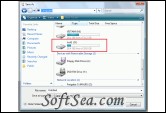
|


Ext2 IFS provides Windows NT4.0/2000/XP/2003/Vista/2008 with full access to Linux Ext2 volumes (read access and write access). This may be useful if you have installed both Windows and Linux as a dual boot environment on your computer. This may be useful if you have installed both Windows and Linux as a dual boot environment on your computer.
The "Ext2 Installable File System for Windows" software is freeware.
If you currently have Windows running and you realize that you need some files for your work which you have stored on an Ext2 volume of your Linux installation, you no longer have to shut down Windows and boot Linux!
Furthermore, Windows will now be able to handle floppy disks which have been formatted with an Ext2 file system.
It installs a pure kernel mode file system driver Ext2fs.sys, which actually extends the Windows operating system to include the Ext2 file system. Since it is executed on the same software layer at the Windows NT operating system core like all of the native file system drivers of Windows (for instance NTFS, FASTFAT, or CDFS for Joliet/ISO CD-ROMs), all applications can access directly to Ext2 volumes. Ext2 volumes get drive letters (for instance O:). Files, and directories of an Ext2 volume appear in file dialogs of all applications. There is no need to copy files from or to Ext2 volumes in order to work with them.
Detailed list of features:
1. Supports Windows NT 4.0, Windows 2000, Windows XP, Windows 2003, Windows Vista and Windows 2008.
2. Supports both the 32 bit x86 and the 64 bit x64 platform.
3. Includes drivers with a digital signature for Windows Vista x64.
4. All operations you would expect: Reading and writing files, listing directories, creating, renaming, moving and deleting files or directories, querying and modifying the volume's label.
5. UTF-8 encoding.
6. Files larger than 2 GBytes. (Please read the FAQ section, too.)
7. Supports hash indexed (htree) directories (utilizes the so-called dir_index feature of Ext3).
8. Full plug-n-play functionality. When a drive is removed, the corresponding drive letter is deleted.
9. Supports use of the Windows mountvol utility to create or delete drive letters for Ext2 volumes (except on Windows NT 4.0). This is useful for scripts. (Please read the FAQ section, too.)
10. A global read-only option is provided.
11. File names that start with a dot "." character are treated as hidden.
12. Supports GPT disks if the Windows version used also does.
13. Paging files are supported. (A paging file is a file "pagefile.sys", which Windows swaps virtual memory to.) Users may create paging files at NT's control panel at Ext2 volumes.
14. Specific functions of the I/O subsystem of NT: Byte range locks, notification of changes of directories, oplocks (which are required by the NT LAN manager for sharing files via SMB).
The file system driver Ext2fs.sys caches file data and the file system's meta data such as directories and all the on-disk structures of the Ext2 file system. (It uses the file cache of the Windows NT operating system.) Therefore it is performant. The level of sophistication of the Ext2 file system driver's implementation is indeed comparable to Windows NT's native file system drivers.
The "Ext2 Installable File System" software package is distributed as a single executable solution, complete with all of the features. It is a setup wizard which installs and configures the Ext2 file system driver. (The screenshots section contains some images of it.) If you wish to uninstall the software, select "Add/remove Software" from the Control Panel.
Furthermore, "IFS Drives" is installed at the computer's control panel, which allows you to assign drive letters to Ext2 volumes.
The license of this software is Freeware, you can free download and free use this system utility software.