
|
Easy Net Switch 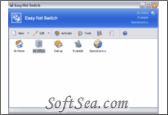
|


Easy Net Switch enables you to automatically select correct IP addresses, proxys, drive mappings, default printers and much more with a single click. It's not only an IP or Network configuration switcher, but also a handy tool that helps you to use your computer in multiple networks easily!
Easy Net Switch is a very powerful and easy to use network configuration switch tool. It stores network and Internet configuration settings such as SSID, IP address, DNS, gateway, proxy, drive mappings, printers, SMTP and more into network location profiles.
By switching between network profiles, you can quickly and easily connect to a network without having to manually reconfigure settings or restart the computer each time.
Advantages of Easy Net Switch:
1. Lightweight, efficiency and stable
2. Small file size and memory usage, never slow down your computer. Activate profiles "on the fly", and no reboot required!
3. Flexiable and easy to use
4. Change proxy frequently? Or only want to map the network drivers automaticlly? With Easy Net Switch, you can create the most flexiable net profiles for different purpose.
5. Show IP address on the desktop wallpaper !
6. With it's buildin DKInfo engine, Easy Net Switch can display current IP addresses info on the desktop wallpaper. It's the easiest way to monitor your computer's IP addresses info.
7. Useful buildin network tools
8. Tools with easy to use GUI can help you to diagnose your possiable network problems. Including Ping, Traceroute (Tracert), IPConfig and much more.
9. Auto-capture current network settings
10. By clicking a button, your current computer's configuration will be imported into a profile automatically. Your can share or apply it again at anytime.
11. Intelligent profile export and import wizard
12. Using the "best match" approach, one can easily backup, restore or share their network profile with others including the WiFi settings.
Easy Net Switch Feature:
1. Windows familiar GUI
2. System tray icon with IP snapshot
3. Different icon for each profile
4. Create profile shortcut on the desktop
5. Command Line Paramenters
6. Profile history list
7. Extensive manual and help
8. Profile activation progress
9. Right mouse popup menu
10. DKInfo engine to show IP address information on your desktop
11. IPConfig - display IP network settings
12. Ping - test network connection
13. Trace route - test network connection
14. Quick refresh DHCP IP address
15. Quick restart selected network adapter
16. Current open connections of UDP and TCP
17. Current IE proxy
18. Current printer list
19. Current network driver mappings
20. Current shared folders with hidden administrative shares
21. Save the current system information into text file
22. Backup and share Windows buildin Wi-Fi settings easily
23. Allow none admin user to change the IP address
24. Default IP address before user login to the Windows
25. Ability to capture current system configuration
26. IP addresses, default gateways, DNS servers and WINS servers
27. Wi-Fi settings (Support Auth and Encryption like: Open, Shared, WPA, WPA2, WEP, TKIP, AES)
28. Enable or disable network adapters
29. Multiple network adapters supported
30. Change MAC address
31. DNS and connection suffix
32. NetBIOS setting
33. Flush DNS resolver cache
34. Proxy and homepage settings for IE, FireFox and Opera
35. Network driver mappings
36. Default printer
37. Dial up selected dial-up or VPN connection
38. Set default dial-up connection
39. Set default dial-up rule
40. Lauch the VPN application
41. Set default email client
42. Set account profile for Microsoft Outlook and Outlook Express
43. Dynamic SMTP server
44. Shared folder with different access permission
45. Windows XP/Vista firewall
46. Windows Hosts file
47. Switch membership of Workgroup
48. Ini files modification
49. Set time zone
50. System environment variables
The license of this software is Free Trial Software, the price is $29.95, you can free download and get a free trial.