Drag and Drop Robot

Drag and Drop Robot Screenshot
  • Rating: Drag and Drop Robot Rating
  • Version: 1.11.01
  • Publisher: www.donationcoder.com
  • File Size: 1.95 MB
  • Date: May 31, 2008
  • Price: $0
  • License: Freeware
  • Directory:
Drag and Drop Robot Download
Free Download Drag and Drop Robot 1.11.01

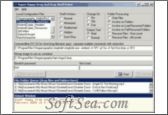
Drag and Drop Robot 1.11.01 is a Shell Extension product from donationcoder.com, get 4 Stars SoftSea Rating, Drag and Drop Shell Robot is a software to help power users easily peform operations on large numbers of files and folders. You can create any number of configuration files by specifying a target software and various commandline parameters or options. To use the program, you simply select a configuration file and drag & drop files and folders onto the queue window, and click Start. Then sit back while the operation proceeds through your files. You can also export commands to a batch file instead of immediate operation.
A good example of the use of Drag&Drop Shell Robot is in zipping or unzipping multiple folders. First the commandline for involking the zip command is specified (youll want to save it for later reuse), and then drag your folders from windows explorer onto the folder queue. Press start to walk through the queue, zipping each folder in turn. The license of this windows utility software is Freeware, you can free download and free use this Windows Utility software.

Shell Extension Software Related Titles:
EzyWin
This allows you to customise your computer making it more fun and enjoyable.

Iconic Tray
This tiny utility lets you minimize any window either to the system tray, or to a special new tray.

Xentient Thumbnails
This program is a simply and impactful utility that replaces your generic image file icons with thumbnails icons of the actual image.

WinSwitch
This program is a simple web search tool that uses text copied to the clipboard and opens the search results that are returned for the keyword(s), when you click on the tray icon.

PCSpeedDialer 2005
Configure any special key combination on your keyboard to run or open any frequently used applications, documents or Web pages.

Taskbar Hide
This allows you to control your taskbar and optionally hide/unhide or re-arrange programs.

ViStart
ViStart is a perfect start menu replacement for Windows XP.

myrecentlist
This <p>It stems and upgrades from Windows Recent Document function by recording the frequency and the recent use of the file.

ZMover
This gives you control of your desktop layout by allowing you to set the size, position, and layering of windows.

SoftCollection Magnifier
Lens that magnifies everything on the screen.

Handy Folders
This adds a toolbar to Windows Explorer, that enables you to switch to your favorite folders or other drives with a single click.

Folder Scout Standard
Folder Scout gives you instant access to any Drive, Folder or File on your PC.

TotalSize
View total file and folder size details from Windows Explorer without having to switch to another application.

PS Tray Factory
This allows you to manage icons from all applications that appear in the system tray (next to the clock).

Folder Scout Professional
Folder Scout gives you instant access to any Local or Network Drive, Folder or File on your PC.

MaxiVista
This can turn your secondary PC(s) into an additional monitor, that can be used as an extension of your primary PC.

Caller ID Events
This program will tell you who a caller is--by name, number, picture, sound or voice.

Aurionix FileUsage
This program is a Windows Explorer add-on that adds 3 additional info columns to the Detail View.

12Ghosts ShellX
Add new commands to the Explorer context menu.

Parallels Workstation for Windows
Parallels Workstation is the most strong, easiest-to-use, cost-impactful desktop virtualization solution available today.

Shell Extension Software Related Category Page:
Page: 1   2   3   4   5   6