
|
Downloadr 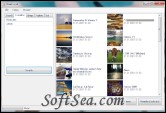
|


Downloadr is a photo downloader for your operating system, Downloadr is a photo downloader for Microsoft Windows. It provides a simple interface to download large sized images from Flickr to your computer. You do not need a Flickr account to use Downloadr, though you do have even more functionality (like the ability to do a complete backup of all your photos) if you register at flickr.com.
Here is a short list of what Downloadr can currently do for you. This is not a complete list of all features, only the major ones are listed here. New features are added from time to time and you will automatically be able to use them thanks to Downloadr's update function. Please be aware that Downloadr is still beta software: Use it, but do not rely on it. It may harm your PC or your flickr account, even though it has been tested many times.
Downloadr Features:
1. Searches photos by: Fulltext, User, Tags, Place, Set, Date, Interestingness, Group, Favorites
2. Automatically downloads largest avaiable size
3. Authenticates with flickr to download private photos
4. Can create a backup of all your photos with just a few clicks
5. Writes EXIF and IPTC data so titles, tags and location are preserved
6. Fully integrates support for linkr
7. Updates automatically
Requirements:
* Windows Installer
* .NET runtime environment
The license of this software is Freeware, you can free download and free use this download manager software.