
|
Daphne 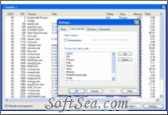
|


Daphne is a small (system tray) application for killing, controlling and debugging Windows' processes. You can kill a process by dragging the mouse over the windows, by right-clicking the process in the main process list, or by typing its name with the "Kill all by name" command. You can set a any window to be always on top, to be transparent, to be enable, et cetera.
Although Daphne was born just to kill windows process. You can think of Daphne as a task manager replacement. The main window displays a list of currently running process with detailed information about:
* CPU usage
* Process ID
* Process name
* Full path (and arguments)
* Priority
* Class (Process / Service)
* Current memory usage
* Peek memory usage
* Current swap usage
* Peek swap usage
* Number of threads
Features:
* Enhanced (experimental) multidesktop feature: use up to four windows desktops using WindowsKey + F5 to F8.
* Installed software list for inspecting installed software available in tray icon menu. Installed software
* Check process hierarchy tree using the "Show process tree" at tray icon menu. Process tree
* Parent process name an PID at process' properties.
* Now you can make configuration portable using INI file instead of registry base configuration.
* Support for DRK's process data base information search and contribution.
* Hide application tool: drop the target over the application's window you want to hide. Later, you can restore the application from Daphne menu.
* Hide application, makes an application disappear but keeps it running to get more desktop space.
* Find process window tool: identify the process which owns the targeted window.
* Traps: you can set up traps to be applied to any process being created.
* Detailed process list, including full path and arguments.
* Per process detail including: Windows tree, thread list, modules, enviroment variables.
* Using the windows tree you can: Show, hide, set always on top on or off, set focus, et cetera to any give window.
* Kill all by name: Kill all process using a given name.
* Kill menu: Customizable menu, each menu item has a process list to kill upon activation.
* Process list highlighting with colors for custom, system and high CPU-consumption processes.
* Control inspector window for revealing hidden passwords.
* Drag and drop tool for killing, setting alpha, enabling controls and putting windows always on top.
* "Hide Java VM from command line" option in advanced tab makes Daphne strip the path to the default Java VM in full path mode.
* Internationalization: Spanish, Italian, German, French, Chinese, Valencia and Polish support.
The license of this software is Freeware, you can free download and free use this system monitor software.