
ClipGuru

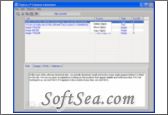
ClipGuru Screenshot
  • Rating: ClipGuru Rating
  • Version: 2.7
  • Publisher: clipguru.com
  • File Size: 358 KB
  • Date: Jun 19, 2008
  • Price: Free
  • License: Freeware
  • Directory:
ClipGuru Download
Free Download ClipGuru 2.7

When we are editing a document, Crrl+C and Ctrl+V may be the most frequent key combination we use. In face, we are using the clipboard of our operating system. However, the functions of clipboard are too lacking to meet most needs of us. It is time to find a powerful and multi-functions application that can replace clipboard. Need not to find it here and there! Here I will commend you a popular clipboard extender and manager. That is ClipGuru which was published by Ht Consulting. Following is the detailed introduction of this excellent clipboard utility. Follow me and see how helpful and handy it will bring to us.

A major shortfall in Windows is that the clipboard can only store one item at a time, each item obliterating the last. ClipGuru is for the Windows user who prefers clipboard storage features unavailable in the standard Windows clipboard. It is a simple clipboard manger that keeps track of all data that is copied to the clipboard, and allows us to recall or save the data as needed. It lets us view clipboard data as text, image or HTML, and also provides a search feature to locate keywords within the clips. We can maintain multiple clip databases, each with up to 400 entries. ClipGuru can also suppress duplicate captures and provides access to the last few captures from the tray icon.

The key functions and benefits of this clipboard manger include:

1. ClipGuru is a powerful and easy-to-use Windows clipboard enhancer that lets us save and use an almost unlimited number of text and image clipboard captures.

2. ClipGuru gives users the ability to recall and reuse current and past clipboard contents, and to optionally save those clips into our own clip Sets for future use.

3. ClipGuru runs in the background and does not affect the normal use of the Windows clipboard. It simply grabs a copy of everything copied to the clipboard and saves it for us. Clipboard items are saved, based on user preference, and kept available for recall at any time.

4. ClipGuru will satisfy the requirements of the vast majority of users. With ease-of-use the design goal, ClipGuru is not a "do everything" clipboard manager with bloated features which would never be used by the vast majority of users.

5. ClipGuru is developed and maintained under Windows XP and Vista but should function under all Windows versions since Windows 98SE.

6. ClipGuru is free for non-commercial use and contains no spyware or adware. We will not be asked to donate to use ClipGuru. ClipGuru is not a feature limited, Lite version of a pay-for product.

7. Suppress javascript errors in copied HTML ¨C It is possible to copy sections of HTML which contain script errors which would, in turn, cause script errors when rendered in the clip html display panel. This edit suppresses most of those errors.

8. Improved duplicate clip checking - There are numerous ways to receive duplicate clips from Windows and no fool-proof method to prevent capturing at least some of them. This check attempts to eliminate duplicates that result from a clipboard capture followed by a close of the window the clip was captured from (closing results in a "flush" of clipboard formats, thus possibly creating duplicates). This check looks for duplicate data received and suppresses re-copying it.

In addition, ClipGuru is free for us and it does not contain any adware or spyware. It is standalone software and does not need any extra software and hardware requirement. It works with Win2000/XP/2003/Vista and its current version is 2.06. With all these features, simple interface, excellent usability and free trial - why are you still reading? Download the free trial now and experience how powerful and effective it is at once!

ClipGuru 2.7 is a ClipBoard product from clipguru.com, get 5 Stars SoftSea Rating, ClipGuru is a simple clipboard manger that keeps track of all data that is copied to the clipboard, and allows you to recall or save the data as needed. It lets you view clipboard data as text, image or HTML, and also provides a search feature to locate keywords within the clips. You can maintain multiple clip databases, each with up to 400 entries. ClipGuru can also suppress duplicate captures and provides access to the last few captures from the tray icon.
ClipGuru is for the Windows user who prefers clipboard storage features unavailable in the standard Windows clipboard. ClipGuru gives users the capability to recall and reuse current and past clipboard contents, and to optionally save those clips into your own clip Sets for future use.
ClipGuru Runs in the background and does not affect the normal use of the Windows clipboard. It simply grabs a copy of everything copied to the clipboard and saves it for you. Clipboard items are saved, based on user preference, and kept available for recall at any time.
ClipGuru will satisfy the requirements of the vast majority of users. With ease-of-use the design goal, ClipGuru is not a "do everything" clipboard manager with bloated features which would never be used by the vast majority of users.
ClipGuru is developed and maintained under Windows XP and Vista but should function under all Windows versions since Windows 98SE.
ClipGuru is free for non-commercial use and contains no spyware or adware. You won't be asked to donate to use ClipGuru. ClipGuru is not a feature limited, lite version of a pay-for product. ClipGuru is under active development and we are continually improving it and adding new features. We welcome your suggestions for improvements in the documentation, features or ease-of-use of ClipGuru. Should you wish to use ClipGuru in a commercial environment, economic licensing options are available upon request. The license of this windows utility software is Freeware, you can free download and free use this Windows Utility software.

ClipBoard Software Related Titles:
KlipStack
This program is a strong, simple and feature rich clipboard manager software.

FreeClip
Copy up to 4 blocks of various information simultaneously.

TextBoard
This - strong clipboard manager, simple text editor and a set of additional utilities The software has a handy, adjustable and 'quick' user interface and a lot of the functionalities that faci

ClipperKeeper
This program is a small, freeware, software that monitors clipboard data.

TrayClip
This program is a useful clipboard enhancement utility that is easily available from the system tray.

X-Clipview
This program is an extender of clipboard functionality.

PasteLister
Press CTRL-V (or the hot key specified) and a list of items will pop up directly under the area you wish to paste.

Swift Paste
Store multiple clipboards and paste these data to active windows.

ClipMagic
This program is an advanced clipboard manager with rules and filters that let you automatically categorize new clips based on keywords in the text, size of the text or image, the program, or the website URL.

Clipboard Recorder
This extends the functionality of the Windows clipboard.

ClipDiary
This runs in the system tray and automatically keeps track of everything you copy to the clipboard (text and/or images).

FacileFill
This stores your frequently-used snippets such as your name, email address, userid,, etc..

Hamsin Clipboard
A three-in-one easy to use clipboard extension utility that allows: tracking clipboard history of the last ten clips which can be later returned back to the clipboard or directly pasted into applicati

Xteq URL Bandit
This program is a little software that monitors your clipboard and catches all URLs it finds.

Softinabox Paste Fast
This program is a strong utility that makes it quick and easy to paste any information into any application.

FastPaste
This software can be used for pasting commonly used text phrases, formated text and even images.

ClipboardController
This software changes the case of text that you copy to the clipboard.

nbClipboard
nbClipboard adds stack, queue and simple text transformations to the Windows clipboard when using th

textBEAST Free Clipboard+
textBEAST enables you to store and organize text snippets and quickly insert them into any document.

PureText
This program is a useful tool to convert clipboard text into plain text and remove all formating.

ClipBoard Software Related Category Page:
Page: 1   2   3   4