
|
Clear All History 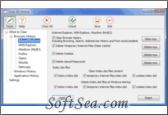
|


Clear All History can clear Internet history and other computer activity tracks from your PC. Clear All History is clear Internet history software that lets you clear history tracks in Internet Explorer, MSN Explorer, Firefox, Maxthon (MyIE2), Opera, Netscape and Mozilla. With Clear All History you can clear browser history, forms AutoComplete, clear history of address bar, clear search history (Yahoo search history, Google search history, etc), clear toolbar search history, clear index.dat files content, delete index.dat files, clear browser cache (Temporary Internet files), stored passwords, delete cookies.
Clear All History also clears Windows history: Temporary Folders (Temporary files directory), clipboard, Recycle Bin content and Recent documents history, clears Windows Run History (recently run programs list), Windows search history, Start Menu open programs history, clears view preferences for desktop and windows you opened, recently open/save files list, page file (swap file), allows disable the Recently Used Documents from access without deleting the list of Recently Used Documents and more.
Clear All History clears history tracks in Windows Media Player, clears Most Recently Used list in Microsoft Office programs (Word, Excel, Microsoft Access, PowerPoint, Front Page, Publisher), clear history of Google Desktop, clear Toolbar search history.
You can set Clear All History to clear history tracks automatically. Advanced program scheduler includes three options:
* Clear history items every set period of time
* Clear history items on program start
* Clear history items on program exit
Why you need Clear All History:
* Do you know that your computer tracks everything you are doing while using the computer or surfing the Internet?
Both your browser and Windows keep tracks of your computer and Internet activity. And these history tracks provide a way for others to view what you have been doing, searching, downloading, running, viewing, etc.
* Information about all the sites that you visited is stored on your computer. Even if you delete history, cache and cookies it won't protect your privacy, as there are files that will continue to store information about what web sites you have visited, what videos you have seen, what cookies have been saved, etc.
* Windows temporary directory (Temp folders) stores Windows and other programs temporary files. This directory can become cluttered and contain files from programs you no longer have installed or files which may violate your privacy.
* Windows stores a list of documents and files you have recently opened and worked with. Anyone who has access to your computer can see this list and directly link to any of the items that you've opened.
* Windows stores a list of programs you have run using the Run option in the Start Menu. And anyone who has access to your computer can see the list of programs that you've run.
* Every time you open a program from the Start Menu, the date and number of times you used it is stored in an encrypted database. If you don't wipe this information, it can compromise your privacy and security and increase the number of entries in the registry slowing Windows down.
* Most applications use the Windows-provided dialogs for open/save operations. Every time you open/save a file Windows keeps a record of this activity - Windows records the names of files that you open or save. So, very often when you choose "open" or "save" item from application's file menu, Windows displays a drop-down list of your most recently used files or opens the certain directory. Even if these names are not shown in the file open/save dialog of particular application, they are kept in a Windows registry and can be viewed.
* Some tracks of computer and Internet activity can't be removed manually without special software
Clear All History main features:
* advanced scheduler to clear history automatically
* shredder option
* supports Internet Explorer, MSN Explorer, Firefox, Maxthon (MyIE2), Opera, Netscape, Mozilla
* clear browsing history
* clear search history
* clear index.dat files content
* delete index.dat files
* clear AutoComplete
* clear address bar history
* clear Google search history
* clear Yahoo search history
* clear Toolbar search history (Google Toolbar, Yahoo Toolbar, MSN Toolbar)
* clear cache (Temporary Internet Files)
* clean stored passwords
* delete cookies
* empty Windows Temporary Folders
* clear Recently documents list
* clear Recent Items
* clear Windows Run History (recently run programs list)
* clear Windows Search History
* clear Start Menu open programs history
* clear Windows Media Player history
* clear history tracks (Most Recently Used list) in Microsoft Office programs
* clear Google Desktop
* clear Skype history
* clear recent open/save files list
* clear page file (swap file)
* clear Clipboard and more...
Your browser and Windows keep all history tracks - what web sites you have visited, what videos you have seen, what cookies have been saved, etc. Windows temporary directory (Temp folders) stores Windows and other programs temporary files. Windows stores a list of documents and files you have recently opened and worked with. Anyone who has access to your computer can see this list and directly link to any of the items that youve opened, programs youve run. Every time you open/save a file Windows keeps a record of this activity - Windows records the names of files that you open or save. If you dont want someone knows what youve done on your computer, you should clear history tracks from your PC.
Clear All History is clear Internet history software that lets you clear history tracks in Internet Explorer, MSN Explorer, Firefox, Maxthon (MyIE2), Opera, Netscape and Mozilla. With Clear All History you can clear browser history, form AutoComplete, clear history of address bar, delete search history (delete Yahoo search history, clear Google search history, clear MSN search history), clear toolbar search history, clear index.dat files content, delete index.dat files, clear cache (delete Temporary Internet files), delete cookies. Clear All History also clears Windows history: Windows Temporary Folders (Temporary files directory) , clear Clipboard, delete recent documents list, erase recently run programs list, delete Start Menu open programs history (Windows Explorer UserAssist Data), clear Streams and StreamMRU, clear page file (swap file), delete recently open/save files list (ComDlg32OpenSaveMRU and ComDlg32LastVisitedMRU). You can also delete history in different applications: delete history tracks in Windows Media Player, delete Most Recently Used list in Microsoft Office programs (Word, Excel, Microsoft Access, PowerPoint, Front Page, Publisher), clear history of Google Desktop, clear Toolbar search history. Advanced scheduler to clear history automatically. Shredder option to delete history files permanently.
The license of this software is Free Trial Software, the price is $34.95, you can free download and get a free trial.