
|
ChmZoomer 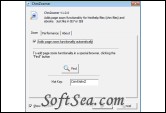
|


ChmZoomer gives you handy full page zoom functionality in all other browser-based applications, such as Chm files, e-Books, RSS Reader and so on. That is just like in IE7/8.
With Microsoft Internet Explorer 7/8 you can make Web pages easier to read by magnifying the page (zooming in). But the zoom function can't works in other browser-based applications.
The shortcut keys are the same as IE and Firefox. Press [CTRL +] or [CTRL Mouse wheel up] to zoom in. Press [CTRL -] or [CTRL Mouse wheel down] to zoom out. Reset zoom to 100% with Ctrl-0.
ChmZoomer works with all browser-based applications:
* Html Help File
* Windows Live Messenger
* Windows Help
* MSDN Library
* RSS Reader
* E-Book reader
* Offline Browsers
* Email Client Software
* And any others...
The license of this software is Free Trial Software, the price is $14.95, you can free download and get a free trial.