
|
ChangeIP 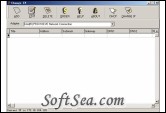
|


One-click change of your network setting. It is useful in multiple networks. Support multiple TCP/IP adapters. Support static IP and DHCP. Support IE proxy. Not need to reboot system after IP is changed.
One-click change of your network setting. It is useful in multiple networks.
1) Support multiple TCP/IP adapters.
2) Support static IP and DHCP.
3) Support IE proxy.
4) Needn't reboot system after IP is changed.
Operations
1. Add a new network setting. Click button "ADD" to do it. Please refer to Quick Start.
2. Edit a network setting. It is similar to "ADD" operation.
3. Delete a network setting. Select an item and click "DELETE" button.
4. Apply a network setting. Click "CHANGE IP" and wait for a minute.
5. Obtain a dynamic IP. Just click DHCP and wait for a minute.
The license of this software is Free Trial Software, the price is $19.95, you can free download and get a free trial.