
|
AVCHDCoder 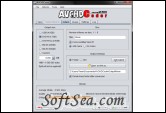
|


AVCHDCoder can convert MKV, M2TS, Blu-ray and WMVHD files to AVCHD. Almost everything will be done for you. You can add srt or sup subtitles files. If they are in your input file or not it doesn't matter. Subs and audio will be extracted automatically. Integrated the tool with some very rare formulas to calculate the bitrate. Discs will be filled for nearly 100%.
An easy-to-use tool for converting MKV fioles to AVCHD ones.. AVCHD Coder is a simple application which allows users to convert a MKV files to AVCHD. Almost everything will be done for you. It is almost fool proof. Because it is still Beta not everything can be done with the tool.
Features:
1. Support for different kind of media: MKV, M2TS, Blu-ray and most WMVHD files
2. Maximum of 32 items on 1 disc.
3. Customize your intro video
4. Up to 32 subtitles streams. SRT/ASS/PGS Blu-ray support.
5. Up to 3 audio streams. AC3, DTS, DTS-ES, DTS-HD HR, DTS-HD MA, WMA9, WMA10 Pro, AAC, FLAC, MP2, MP3, Vorbis/OGG support.
6. Chapter support
7. Wide range of output sizes: DVD5, DVD9, BD25, BD50, USB 4GB and custom output. Upcoming: 2 Disc support.
8. Integration of AVCHDCalculator to calculate the bitrate very accurate. So you are sure the discs are not oversized or to much undersized. (Unique calculator, first in the world)
9. .iso or folder output.
10. Video downscaling.
11. Audio conversion.
12. Conversion will be done automatically if necessary.
13. Borders will automatically be added to the video if necessary.
14. No need to configure the x264 video encoder. There are 3 build in profiles that can't be edited.
AVCHCoder uses lots of application. They are all free and most are Command Line. You don't have to download them manually. The are present in the installation folder. This is a list of applications that are used:
* X264
* TsMuxeR
* Ssatosrt
* Mkvtoolnix
* MediaInfo
* ImgBurn
* Eac3to
* Ac3filter
* Process
* Oggdec
* Faad
You need to install the following applications in order to use AVCHDCoder:
* AviSynth (Delivered with AVCHDCoder)
* ffdshow (Delivered with AVCHDCoder)
* Haali Media Splitter (Delivered with AVCHDCoder)
* dbPowerAmp (Licenced Copy necessary if you want to use the WMVHD function)
* Java
* .Net framework 2.0
The license of this software is Freeware, you can free download and free use this codec pack software.